

We create your school website
A system for schools and universities: manageable display boards, timetable and cancellation plan import, live teaching via stream, secure areas for classes and courses, app integration with push notifications, and an AI chatbot for inquiries.
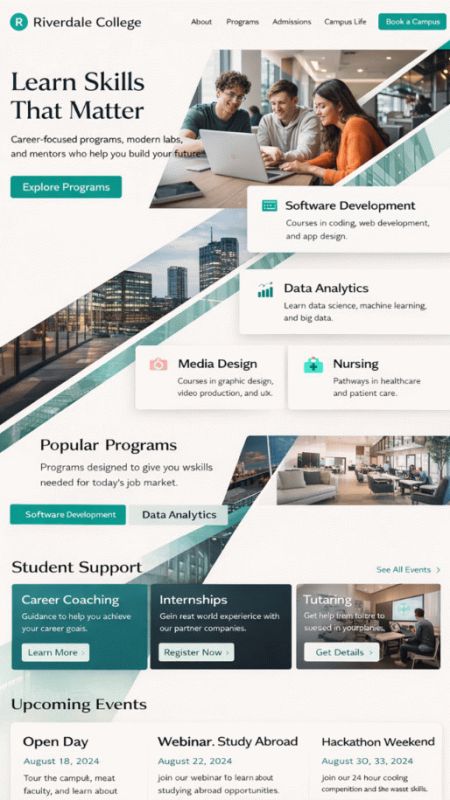
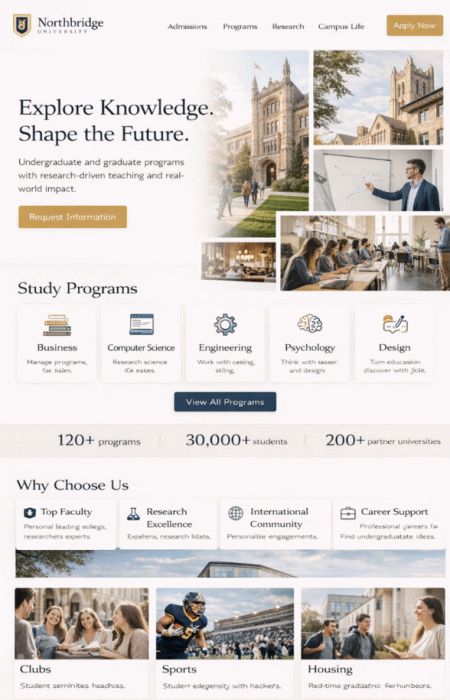
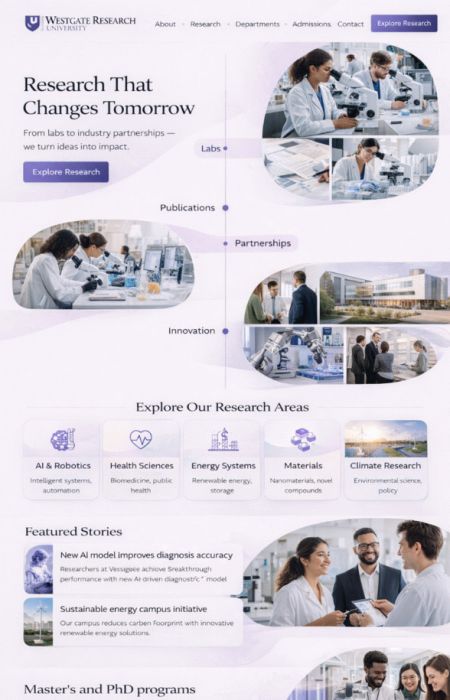
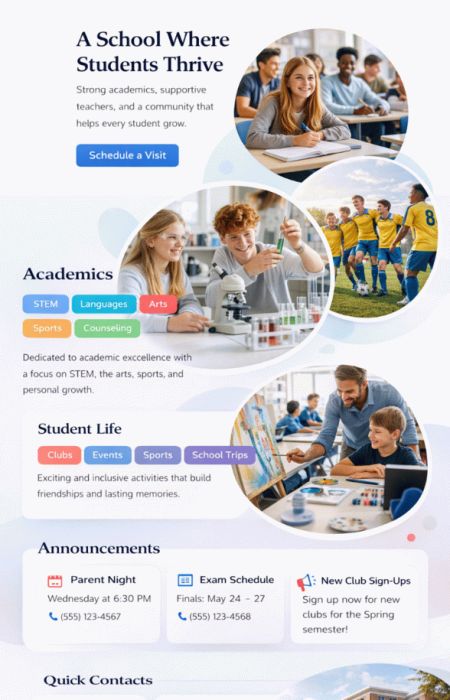
Website Software
Communication, timetables, areas for classes: everything in one place
Schools and universities need reliable communication: timetable changes, cancellations, news, parental information, materials for classes, as well as secure access for different roles. At the same time, it should remain easy for teachers to use – and quickly accessible for students. With bluetronix, a portal is created that connects website, secure areas, display boards, live teaching, and app. Roles and permissions ensure that admins, teachers, students, and parents see exactly what is intended for them.
Modules
CMS components – ready to use
Display boards, timetable import, and live teaching: three functions that noticeably relieve the school day. Optionally, the app, secure areas, news archive, galleries, and AI chatbot can be added.
Display Boards
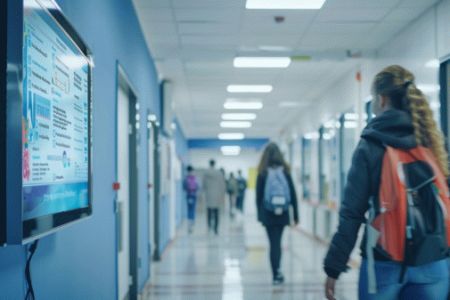
Content for monitors in hallways or entrance areas: representations, notices, appointments, canteen plan, events. Time control, templates, and approvals by admin or office.
Class & Cancellation Plan

Import via file (e.g. CSV/Excel) and quick updates: classes see the plan, parents receive information, teachers manage content according to permissions. Changes become immediately visible.
Teaching via Stream

Teaching via live stream for class or course: secure, schedulable, with access only for authorized accounts. Ideal for absences, distance learning, hybrid situations, or guest lectures.
Live Teaching
stable, secure, easy - school & online cleanly connected
Teachers start streams for classes or courses – students and parents access through their login. Access rights can be managed per class, course, or group. Optionally with document view, chat for questions (moderated) and clear structure: date, topic, material, link. This keeps the lessons understandable even if someone was absent.

Teaching Stream
Camera, presentation (screen), documents

If desired, views can be switched: camera, presentation (screen), documents. Students see the stream and material relevant to the lesson – without searching, without extra links.
- Camera + Presentation + Document View (depending on setup)
- Access only for authorized accounts (class/course)
- Material directly available during the lesson: PDFs, assignments, links
- Moderated chat for questions
School Website
Profile, news, archive, galleries – easy to manage
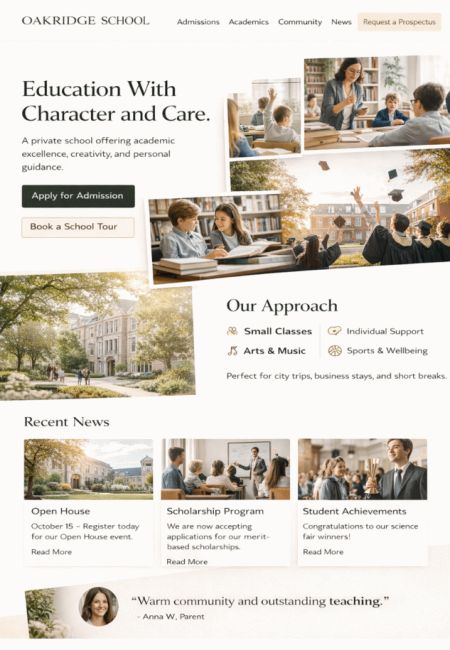
Professionally present your school or university: mission statement, contacts, departments, appointments, downloads, directions. News can be accompanied by an archive to ensure that information remains accessible long-term. Class photos and projects can be displayed as galleries – with approvals and optional visibility settings per area. The result looks modern and remains easily understandable for users.
CMS Features for Schools & Universities
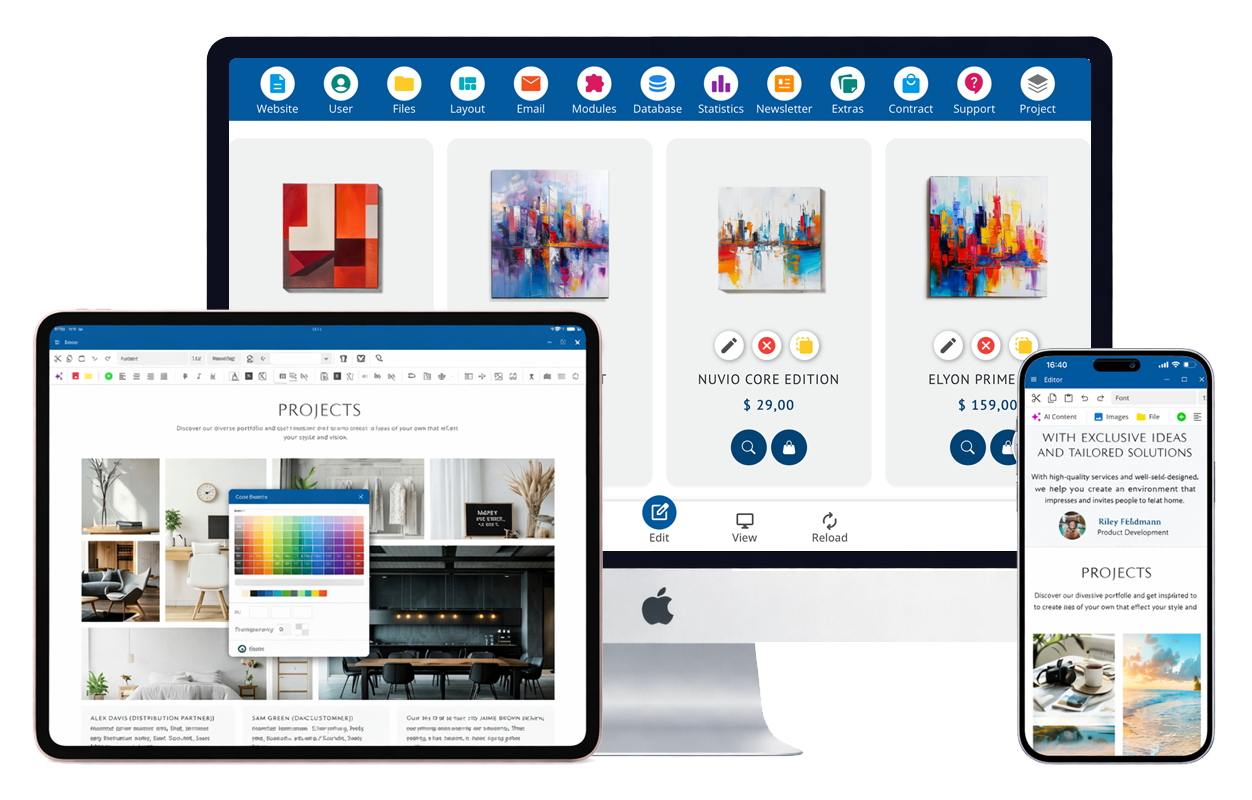
These functions are designed for school and campus operations: roles & rights, protected areas, plan import, display boards, news archive, app, and AI chatbot. Start lean – and expand later as needed.
Protected Areas per Class / Course
Classes and courses receive their own areas with access. Content can be shared per group: material, assignments, appointments, links, notes. Parental access optional – depending on the concept.
Multi-User: Admin, Teacher, Student, Parent
Roles and rights are clearly separated. Admin manages structure, teachers maintain course content, students access material, and parents receive information – precisely tailored to the role.
Schedule & Substitute Import
Schedule data can be imported (e.g. CSV/Excel). Substitutes and absences are quickly updated. Display options for website, app, and notice boards available.
Notice Boards: Centralized Content Control
Monitors display notices, substitutes, room changes, news, and events. Timetables, templates, and approvals ensure smooth operation – without spontaneous paperwork.
Online Sick Notices + List
Parents or students report absences online. The school receives a clear list for the day, optionally with a notes field and status. This significantly reduces phone call volume.
Teacher Area: Assignments & PDFs
Teachers provide assignments, PDFs, and links. Materials can be published by class/course – with a clear structure by date or topic.
Email Notifications
Automatic emails for important events: new news, new documents, schedule changes, confirmations. Users stay informed without having to check constantly.
Push Notifications via the App
Push notifications for schedule changes, absences, news, or important information. Students receive updates directly on their phones – quickly and without misunderstandings.
Class Photos & Galleries
Images as galleries: class photos, projects, events. Visibility can be controlled per area, ensuring photos are only visible to authorized users.
News with Archive
Current announcements plus archive: parent letters, dates, project reports. Old information remains accessible – instead of disappearing after a few days.
Files & Downloads Managed Cleanly
Forms, PDF downloads, guidelines, school regulations, applications: centrally managed, clearly sorted. Teachers can provide materials per course, admin manages public documents.
Statistics & Evaluations
See which contents are frequently used: news, downloads, areas. This aids in planning and communication – without guesswork.
SEO & AI Search Optimization
Pages, news, events, and archives are built cleanly to ensure search engines and modern AI searches can understand and display content well.
Website Chat for Quick Questions
Resolve brief questions directly: contact, hours, documents, events, responsibilities. Optionally hand over to staff if a request needs to be clarified personally.
AI Chatbot for Inquiries
The AI chatbot answers frequently asked questions (e.g. contact persons, times, downloads, sick leave, appointments) and can forward requests in a structured manner. Optionally with a knowledge base from your own texts.
AI Chatbot & Multilingualism
Quick answers, clear communication
Enhance the portal with AI features: The chatbot answers standard questions, assists with orientation, and relieves the secretariat and administration. Additionally, the appearance can be offered in up to 24 languages – helpful for international families or students.
AI Answers & Knowledge Base
Responds to typical questions, shows relevant links, explains processes, and can summarize requests for staff – including context for quicker assistance.
Up to 24 languages
Translate website, news, appointments, and system texts. Multilingual chat is also possible – suitable for international user groups.
Your school app – directly connected
Own app under your name (iOS & Android): schedule changes, cancellations, news, notices, and materials directly on the phone. Push notifications ensure that information arrives immediately.
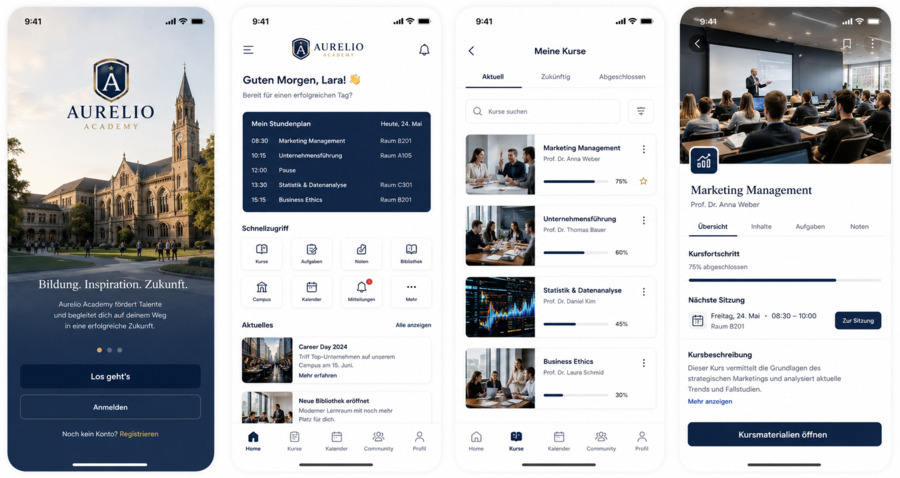
Optional: Push bei Planänderungen, Krankmeldung, Chat, geschützte Klassenbereiche, Dateien, News-Archiv.
Accesses for teachers, students & parents
Each role gets the appropriate access: clear, secure, and organized. Areas and content can be finely controlled.
Profiles & Roles
Admin, teacher, student, parent: rights and visibility per role. Structure remains clean, even with many classes.
Classes & Course Areas
Protected content per group: materials, tasks, appointments, stream links, notices. Access only for authorized users.
Plans & Updates
Schedule, cancellations, room changes: updates appear immediately on the portal, app, and display board – optionally with push notifications.
Sick leave & overview
Online sick leave with a list for the school. Optionally status, note, and export – so the team knows quickly.
Service, Communication & Discoverability
For school and campus, quick communication counts: parent inquiries, information, news, downloads, and clear structures. bluetronix brings it together – without complicated handling.
AI Chatbot & Contact
Answers standard questions, shows relevant pages, helps with orientation, and forwards complex cases to staff – with conversation history.
News & Archive
Current announcements plus archive: parent information, project news, appointments, notices. Users can find information later as well.
Domain & Email
Set up a desired domain or transfer an existing domain. Email addresses matching the domain for a professional appearance.
Statistics & Quality
View usage and trends: which pages are helpful, which downloads are in demand. This supports planning and communication for upcoming appointments.
Up to 90% government funding
For digitization, automation, and modern web portals – we check eligibility for funding.
Non-binding consultationAutomation of your web portal standard solutions are often not enough
bluetronix works cost-effectively with proven core modules that we specifically adapt to your requirements – instead of developing everything from scratch or forcing you into rigid standards. This way, you get a solution that fits your processes exactly, remains scalable, and makes economic sense.