

Execute MySQL scripts in the CMS
Learn how to run MySQL commands directly in bluetronix CMS, use prepared templates, and safely separate your _own tables from standard and system tables.
Objective of the Tutorial
You will learn how to execute your own MySQL statements directly in the bluetronix CMS via MySQL - Script and how to use the existing templates for typical database tasks.
Important: MySQL statements directly affect the database. Standard and system tables should not be manually changed. Changes to such tables may be overwritten or reset by a system update. For tables that belong to modules, you should work with your own _own tables for individual adjustments.
Open MySQL - Script
Open the Database section in the CMS. Here, you will find functions like Database, Import, Export, MySQL - Script, and Backup.
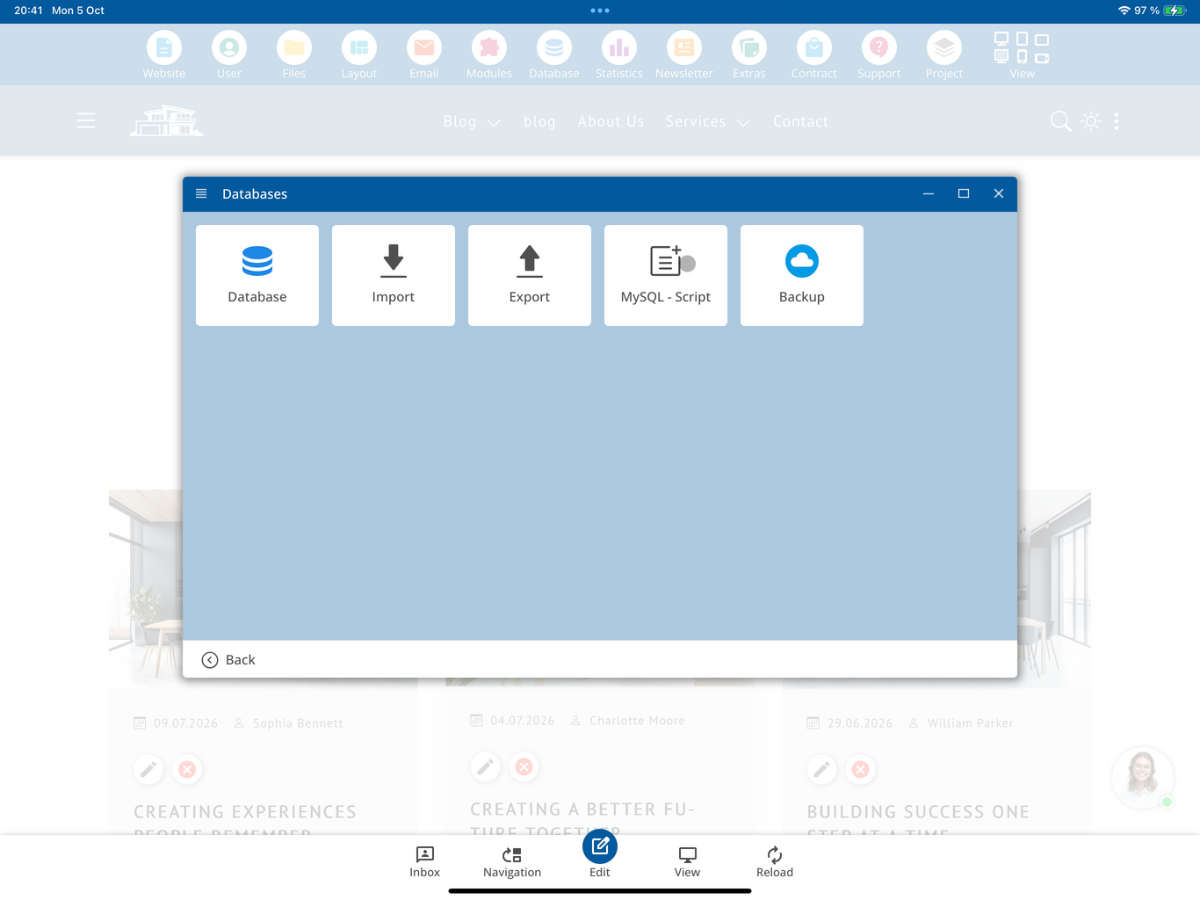
Select MySQL - Script. This opens the MySql Command Input. Here you can enter your own MySQL statements and start with Execute.
Templates for common MySQL tasks
Through the Templates field, you can select prepared commands for typical database tasks. This way, you do not have to rewrite the basic structure of each MySQL statement every time.
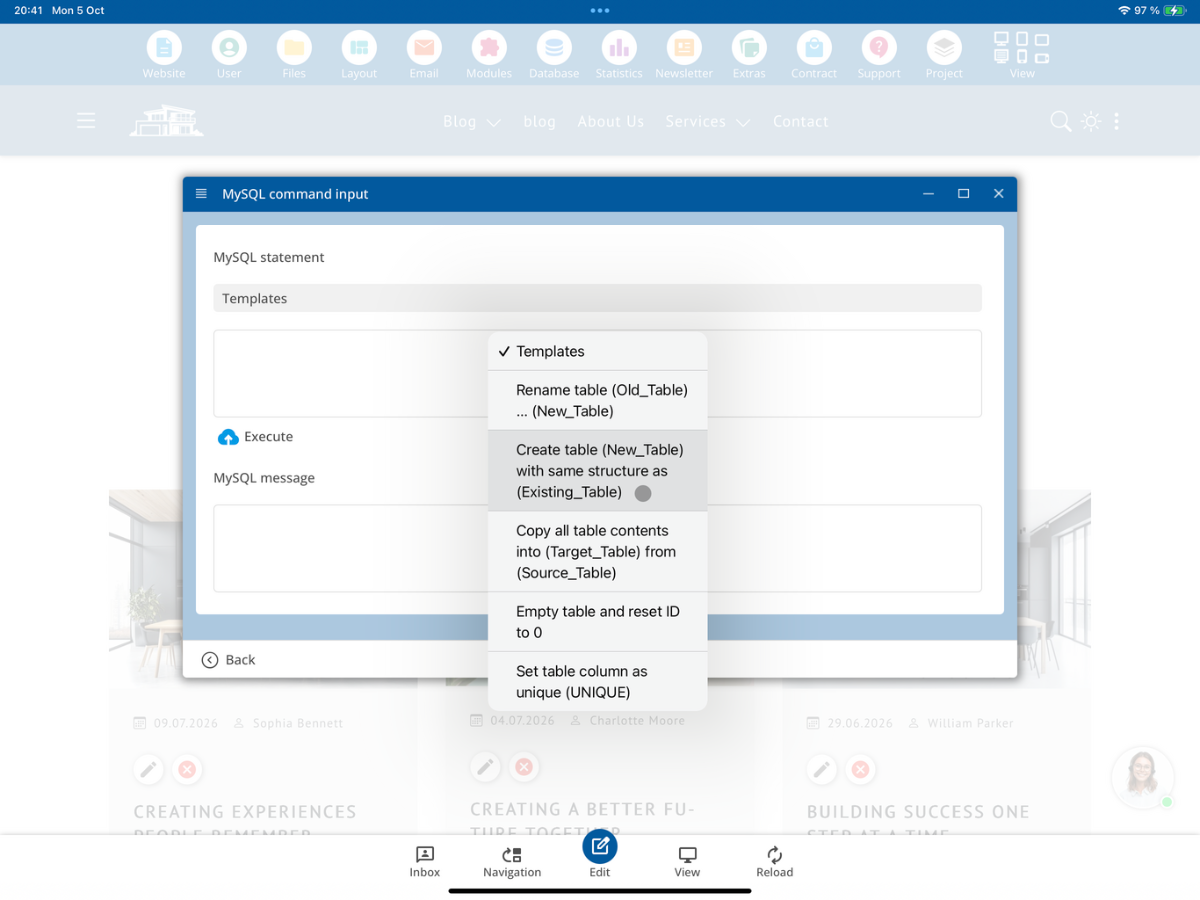
In the shown selection, the following templates are available, for example:
- Tabelle umbenennen
- Tabelle mit dem gleichen Aufbau wie eine bestehende Tabelle erstellen
- Alle Tabellen-Inhalte von einer Quell-Tabelle in eine Ziel-Tabelle kopieren
- Tabelle leeren und die ID zurück auf 0 setzen
- Tabellenspalte eindeutig setzen (UNIQUE)
Attention: Some of these commands modify or delete data. Therefore, always check the selected table and the generated MySQL statement before execution.
Example: create your own table with the same structure
In our example, we use the table Blog as an existing table. For individual adjustments, a new table with the suffix _own should be created.
To do this, select the template Create table (New_Table) with the same structure as (Existing_Table). The statement can then look like this:
CREATE TABLE Blog_own LIKE Blog;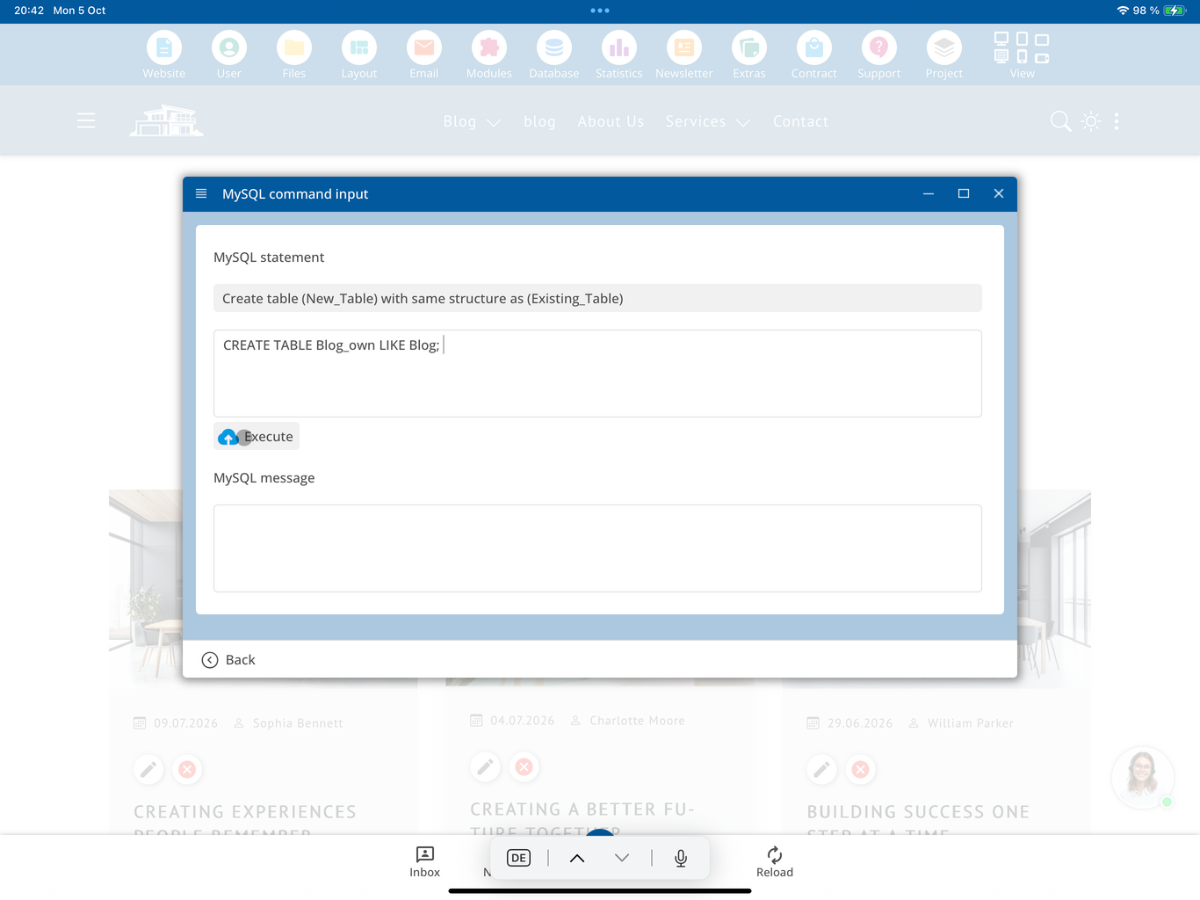
Using Execute starts the command. A new table with the same structure as the existing table will be created.
Note: This step initially adopts the structure of the table. If the existing records should also be adopted, then use the template for copying the table contents afterward.
Check successful execution
After execution, the CMS displays the result under MySql Message. In the following example, the table Blog2_own was created based on the table Blog using the same template.
CREATE TABLE Blog2_own LIKE Blog;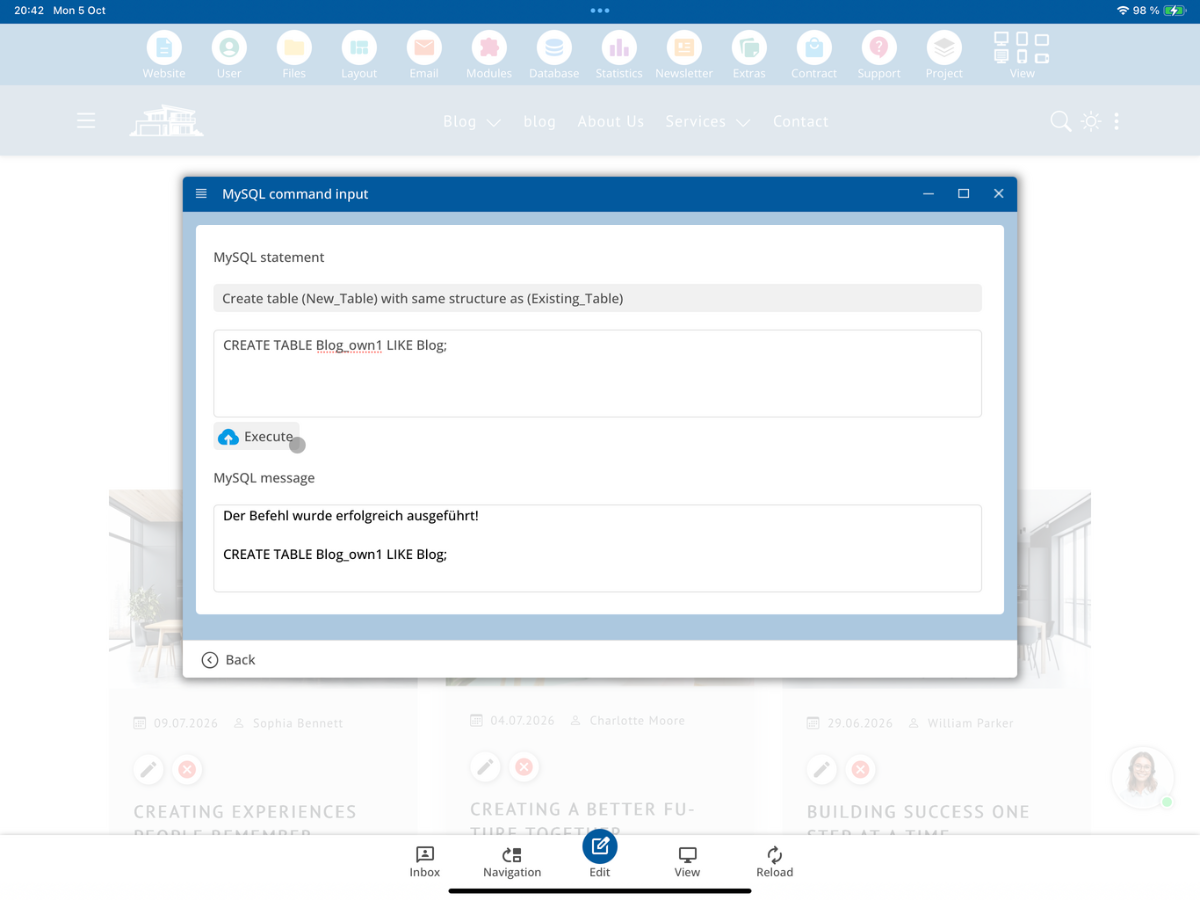
The message The command was executed successfully! confirms that the MySQL statement has been processed.
Adopt table contents
If the new _own table should not only have the same structure but also contain the existing records, you can then use the template Copy all table contents to (Target_Table) from (Source_Table).
For the target, use your new own table and for the source the existing table. This way, you can first create the table structure and then adopt the existing contents.
More templates
In addition to creating and copying tables, you can perform further tasks via the template selection. For example, you can rename a table, clear a table and reset the ID, or set a table column to be UNIQUE.
Attention: Particularly, clearing a table immediately changes the data. Only use such commands if you know exactly which table is affected.
Execute your own MySQL statements
The templates are just a guide. In the MySQL command input, you can also enter your own MySQL statements and start them with Execute. This allows you to make individual changes to your own database tables directly through the CMS.
For your own extensions, you should consistently use your own tables or the designated _own variants so that your individual modifications are kept separate from standard and system data.
Summary
With MySQL - Script, you can execute MySQL statements directly within the bluetronix CMS. Prepared templates are available for frequently needed tasks. You should not manually change standard and system tables. For individual extensions, work with your own _own tables and carefully check the affected table and the generated MySQL statement before each execution.
FAQ
what customers often ask us
What is MySQL - Script in the bluetronix CMS?
With MySQL - Script, you can enter and execute MySQL statements directly in the CMS.
Where can I find the MySQL - Script function?
Open the Database section in the CMS and select MySQL - Script.
Can I run my own MySQL commands?
Yes. In the MySQL command input, you can enter your own statements and start them with Execute.
Are there prepared MySQL templates?
Yes. Templates are available for typical tasks such as renaming, creating, copying, or clearing tables.
Am I allowed to change standard and system tables directly?
Standard and system tables should not be manually altered. Changes can be overwritten or reset by system updates.
How do I mark my own table?
For individual adjustments, own tables are used with the suffix _own, for example Blog_own.
How do I create Blog_own with the structure of Blog?
You can use the template to create a table with the same structure. The example is CREATE TABLE Blog_own LIKE Blog;.
Are the contents also copied with CREATE TABLE Blog_own LIKE Blog?
In this tutorial, the table structure is first copied. For the existing records, you then use the template to copy the table contents.
How can I tell if a command was executed successfully?
The CMS displays the result under MySql notification. A corresponding success message appears upon successful execution.
Can I duplicate an entire table?
You can first create a new table with the same structure and then copy the table contents from the source table to the new target table.
Can I clear a table using the templates?
Yes. There is a template to clear a table and reset the ID. Be sure to check the affected table before executing, as this will change or remove data.
Can I set a column as UNIQUE?
Yes. The function 'Set Column as Unique (UNIQUE)' is available in the displayed template selection.
Why should I work with modules that have _own tables?
So that individual customizations remain separate from the standard tables and are not made directly to tables whose default state can be affected by updates.