

Page settings in the bluetronix CMS – correctly set title, layout, and SEO
In this section, you will learn how to make the most important page settings in the bluetronix CMS – from assigning the title to layout and SEO options as well as statistics functions. This way, you can efficiently and professionally optimize your page.
Adjust page settings
In the page settings, you can define important details like title, description, layout, and SEO options for your page. These settings help you structure your website optimally and optimize it for search engines.
File name
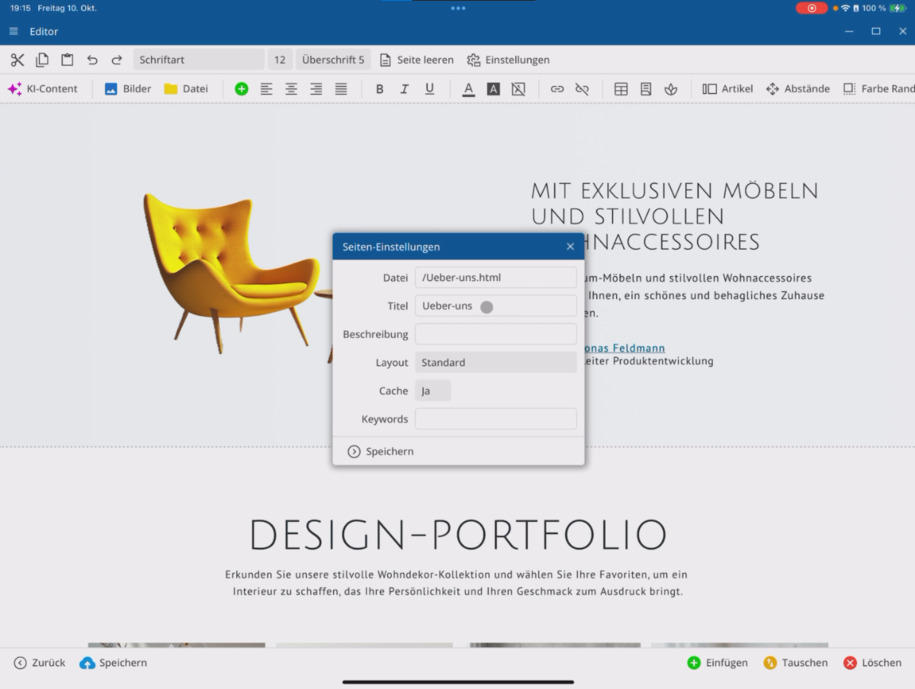
At the top, you can see the filename of the page. This is mainly of interest to developers and usually does not play an important role for you.
Title and description
In the title field, give a meaningful heading that describes the content of the page. The title is particularly relevant for search engines.
Below, enter a brief and precise summary of the page content in the description field. This description is often displayed in search results.
Select layout
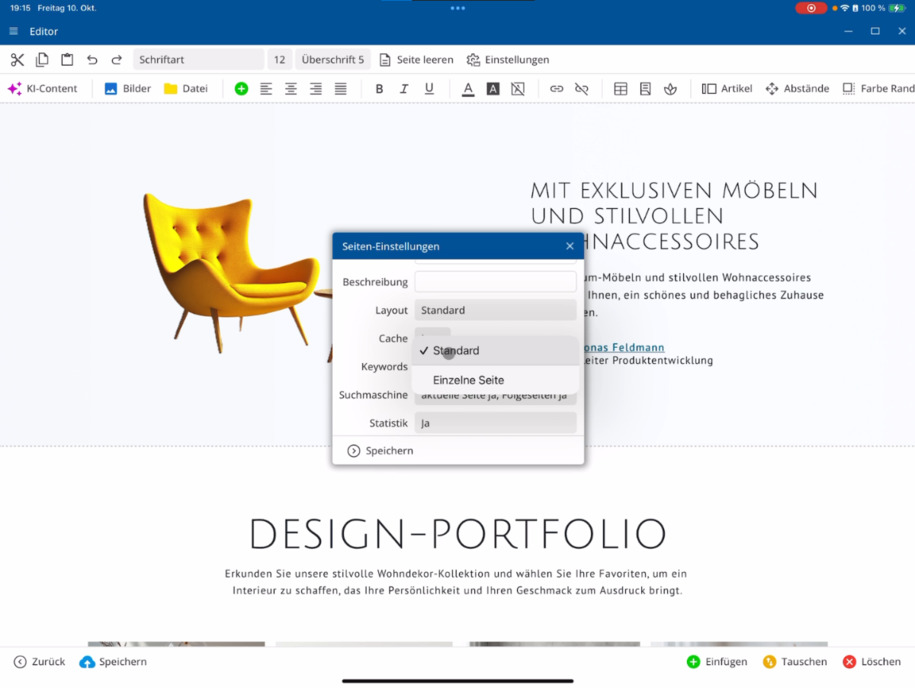
Under layout, you specify how your page will be displayed in terms of design. Depending on the template or system configuration, various layouts are available.
You can also open the page as a single page – it will be displayed without a header and footer, ideal for special content pages.
Caching
With the caching option, you decide whether a cached version of your page will be created. By default, Yes is activated – this allows the page to load particularly quickly as it is preloaded.
Only if you want the page to be generated anew on each call (e.g., for dynamic content), should you set the option to No.
Enter keywords
In the keywords field, you enter keywords that describe the content of your page. These help search engines better categorize and locate your page.
Search engine indexing
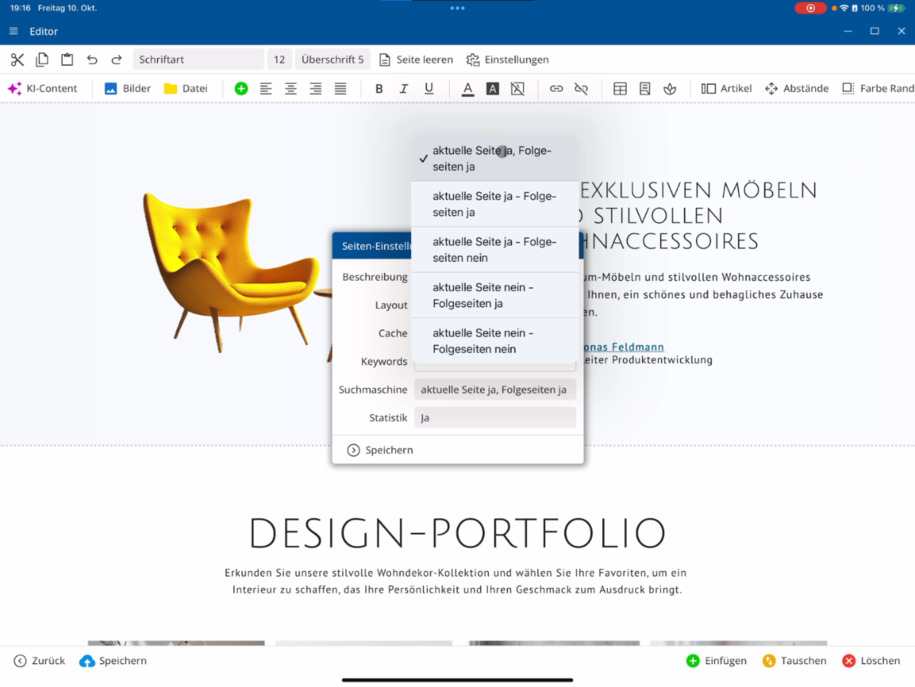
Under indexing, you can specify whether and how your page is indexed in search engines. You can choose between:
⯈ include this page and subsequent pages
⯈ include only this page without subsequent pages
⯈ do not include
If you do not want a page to be publicly visible, choose the option do not include.
Statistical evaluation
With the statistics option, you determine whether this page is recorded in the bluetronix system statistics. By default, Yes is activated – this allows you to track how many times your page has been accessed later.
FAQ
what customers often ask us
Where can I find the page settings?
You can find the settings for the page in the page settings section. There you can adjust important details like title, description, and layout.
What does the filename mean?
The filename is displayed automatically and is usually relevant only for developers. It does not play a role for you in page design.
How do I assign an appropriate page title?
Enter a descriptive name in the title field that reflects the content of the page. The title is important for search engine optimization (SEO).
What is the purpose of the page description?
In the description field, provide a brief and precise summary of the page content. This is often displayed in search results.
How can I change the page layout?
Under Layout, you select the design in which your page will be displayed. Depending on the template, different layouts are available. You can also open the page as a single page without a header and footer.
What does the "Caching" option do?
With the Cache setting, you determine whether a cached version of the page will be created. The default is Yes – this ensures faster loading times. The option should only be disabled for dynamic content.
How do I add keywords?
In the Keywords field, you can enter keywords that are relevant to your page. They help search engines better categorize the content.
How does search engine indexing work?
Under Indexing, you specify whether and how your page will be included in search engines. You can choose from: include this page and follow-up pages, only this page, or do not include.
What does statistical evaluation do?
With the Statistics option, you decide whether page views are recorded in the bluetronix statistics. The default is Yes, so you can analyze visitor numbers and page activity.