

Register your own domain – how to find and secure your desired address
In this tutorial, you will learn how to search for domains, check their availability, register them, and manage them. Ideal for quickly and easily setting up your own web address.
Eigene Domain registrieren
In diesem Tutorial erfährst du, wie du Schritt für Schritt eine eigene Domain registrierst. Die Domainverwaltung findest du im Bearbeitungsmodus unter Extras ⯈ Domain.
Dort kannst du jederzeit zusätzliche Domains für dein Webprojekt bestellen. Je nach Webpaket steht dir möglicherweise sogar eine Domain kostenlos zur Verfügung.
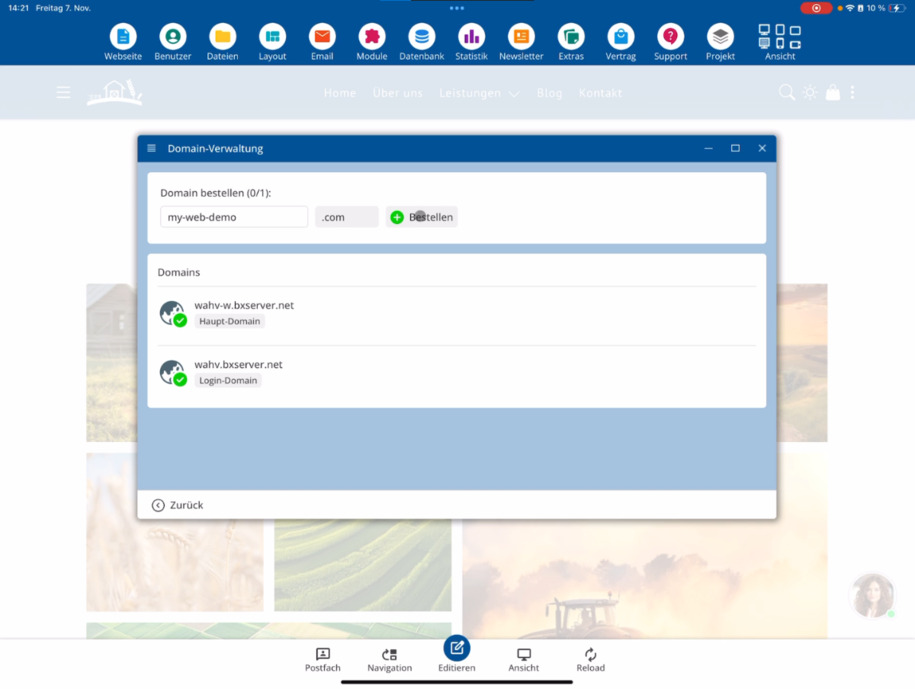
Domain auf Verfügbarkeit prüfen
Enter your desired address in the search field and check if the domain is available. In the example, mywebdemo.com was tested – this domain is available.
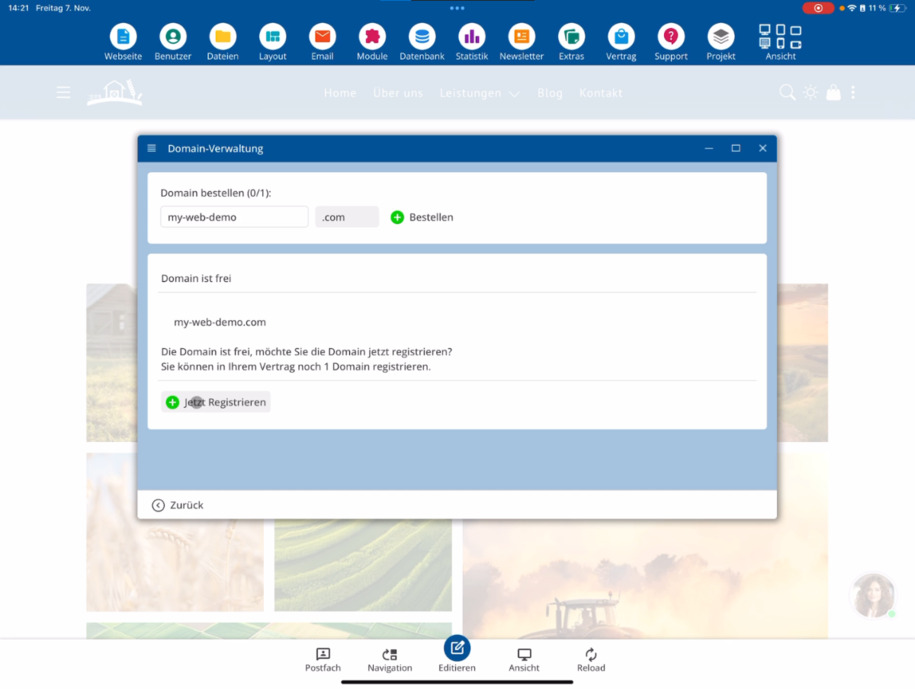
Sollte deine Wunschdomain bereits vergeben sein, findest du ein eigenes Video dazu, wie du bestehende Domains übernehmen kannst.
Domain registrieren
If the domain is free, you can register it directly. Just click on Register domain. Afterwards, a message appears saying "Domain is being configured" – this means that all data has been successfully transmitted to the registration office.
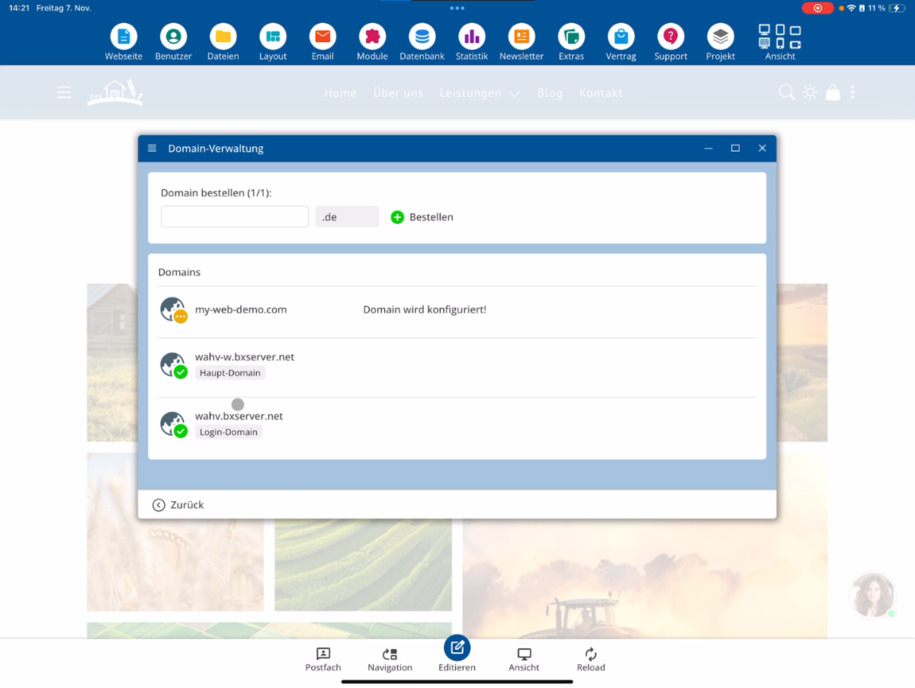
In der Regel dauert es etwa 5 bis 20 Minuten, bis die Domain vollständig registriert ist. Die genaue Zeit hängt von der Domain-Endung ab.
FAQ
what customers often ask us
Du findest die Domainverwaltung im Bearbeitungsmodus unter Extras ⯈ Domain. Dort kannst du neue Domains bestellen und verwalten.
Kann ich zusätzliche Domains für mein Projekt bestellen?
Ja, in der Domainverwaltung kannst du jederzeit weitere Domains bestellen. Je nach Webpaket kann sogar eine Domain kostenlos enthalten sein.
Wie prüfe ich, ob eine Domain noch frei ist?
Gib die gewünschte Domain in das Suchfeld ein und starte die Prüfung. Wenn sie frei ist, wird dir dies direkt angezeigt.
Was mache ich, wenn meine gewünschte Domain bereits vergeben ist?
Falls die Domain nicht verfügbar ist, gibt es ein eigenes Video dazu, wie du bestehende Domains übernehmen kannst.
Wie registriere ich eine freie Domain?
If the domain is free, you can register it directly through the domain management. Just click on Register domain.
Was bedeutet die Meldung „Domain wird konfiguriert“?
Diese Meldung zeigt dir, dass deine Bestellung an die Registrierungsstelle übermittelt wurde und die Einrichtung begonnen hat.
Wie lange dauert die Domain-Registrierung?
Die Registrierung dauert in der Regel zwischen 5 und 20 Minuten. Die genaue Dauer hängt von der Domain-Endung ab.