

Install the bluetronix app & start a new project – quick guide for iOS
This tutorial shows you how to install the bluetronix app, set up notifications, and create a new project. After that, you can start working on your sample website in the CMS right away.
Download the bluetronix app from the iOS Store
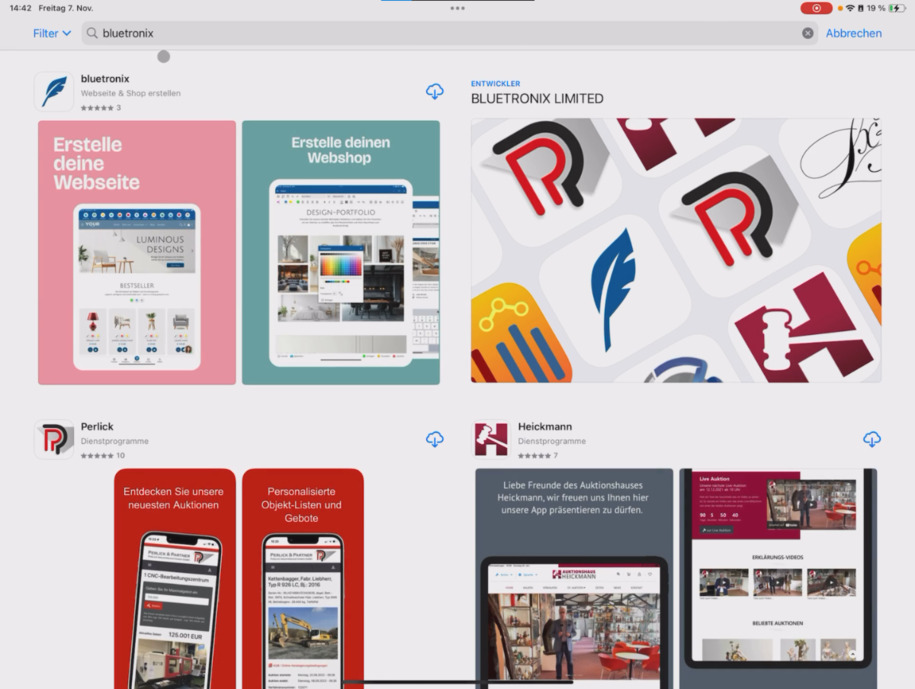
In this tutorial, you'll learn how to download the bluetronix app from the iOS Store and immediately start a new project. To do this, open the App Store and search for bluetronix. Download the app and then open it.
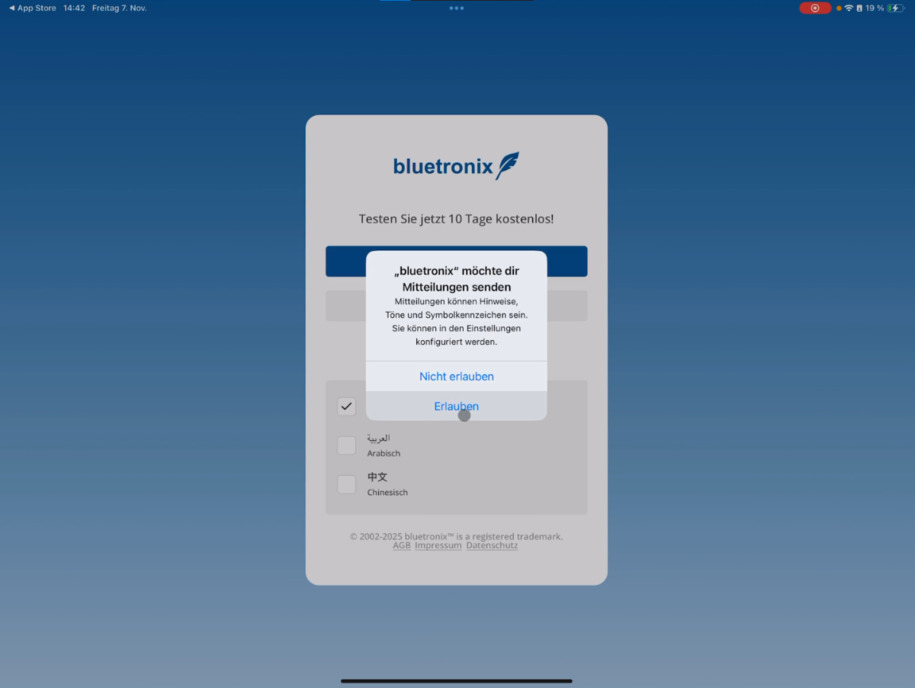
Be sure to allow notifications. This way, you'll receive alerts for new contact form entries, shop orders, or chat messages. Without permission, you'll miss all notifications.
Tap Allow Notifications to enable permission.
Create a new project
If you don't have a bluetronix project yet, tap Create New Project. Then enter your email address so we can verify it.
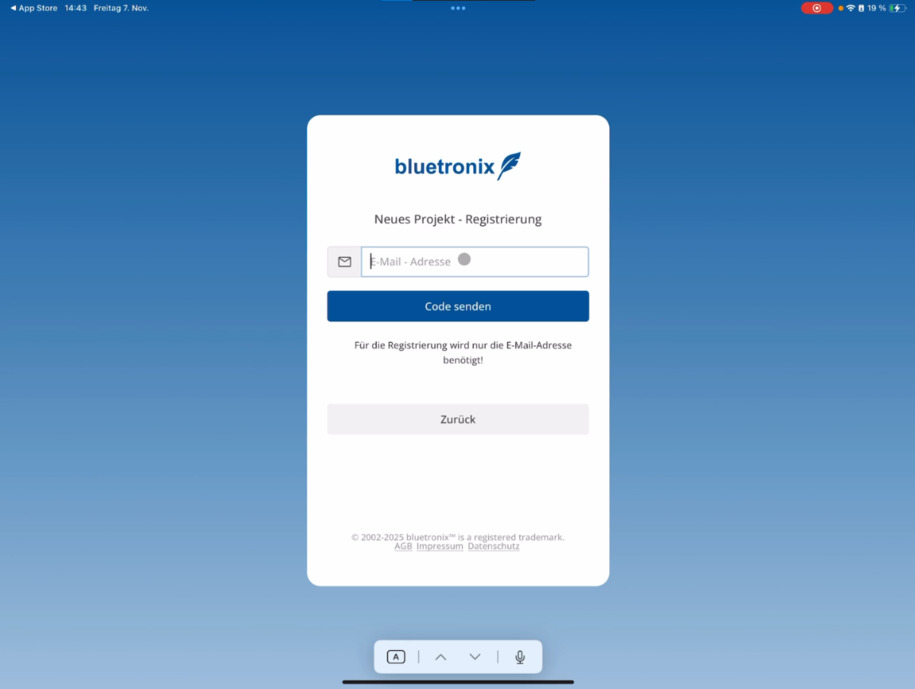
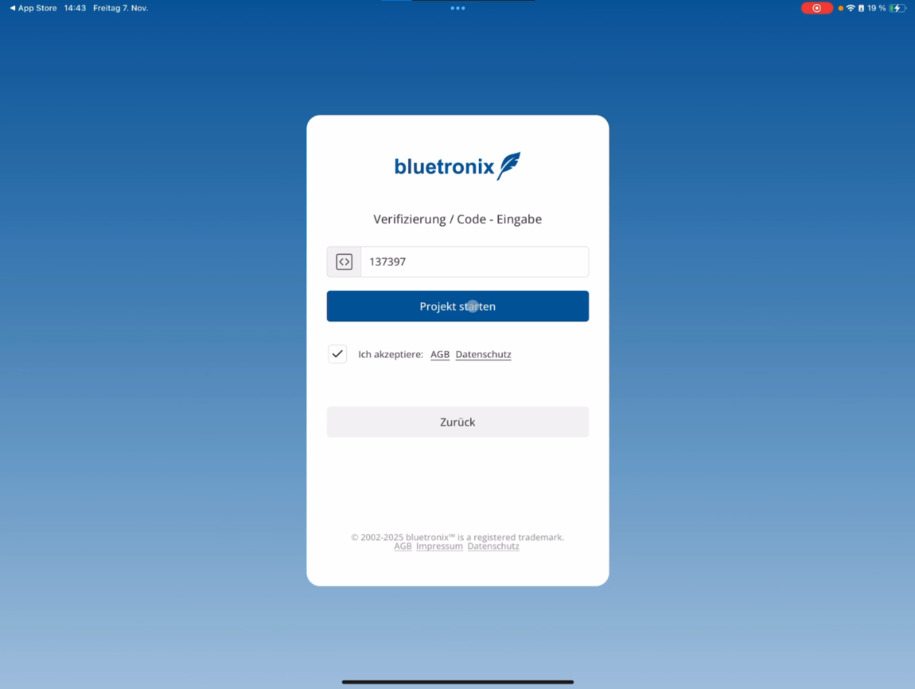
Enter your address and tap Send Code. After a few seconds, you will receive a code via email. Enter this code in the app.
Confirm the terms and conditions and tap Start Project.
First start in the bluetronix CMS
Right afterwards, you'll land in the bluetronix CMS. In the main window, you'll immediately see your sample website and can start editing right away.
In the next tutorial, you'll learn how to manage and edit multiple projects within the app.
FAQ
what customers often ask us
Open the App Store on your iPhone and search for bluetronix, or follow thisLink.
Warum soll ich Mitteilungen erlauben?
Notifications keep you informed about new contact form entries, shop orders, or chat messages. Tap Allow Notifications so you don't miss any important updates.
Wie erstelle ich ein neues Projekt in der App?
If you don't have a project yet, tap Create New Project. Enter your email address and tap Send Code to verify it.
Wie läuft die E-Mail-Verifizierung ab?
You will receive a code via email within a few seconds. Enter this code in the app, confirm the terms and conditions, and then tap Start Project.
Was passiert nach dem Start meines Projekts?
Nach der Einrichtung wirst du direkt in das bluetronix CMS geleitet. Dort siehst du sofort deine Beispiel-Webseite und kannst direkt mit der Bearbeitung loslegen.
Kann ich mehrere Projekte über die App verwalten?
Yes, in thediesem Tutorialyou can find out how to organize multiple projects in the app and switch between them.