

Manage multiple website projects with the bluetronix app
This tutorial shows you step by step how to manage multiple website projects in the bluetronix app – from setting up new projects to easily switching between clients or languages.
Mehrere Projekte in der bluetronix App verwalten
In diesem Tutorial erfährst du, wie du ganz einfach mehrere Projekte über die bluetronix App anlegst und verwaltest.
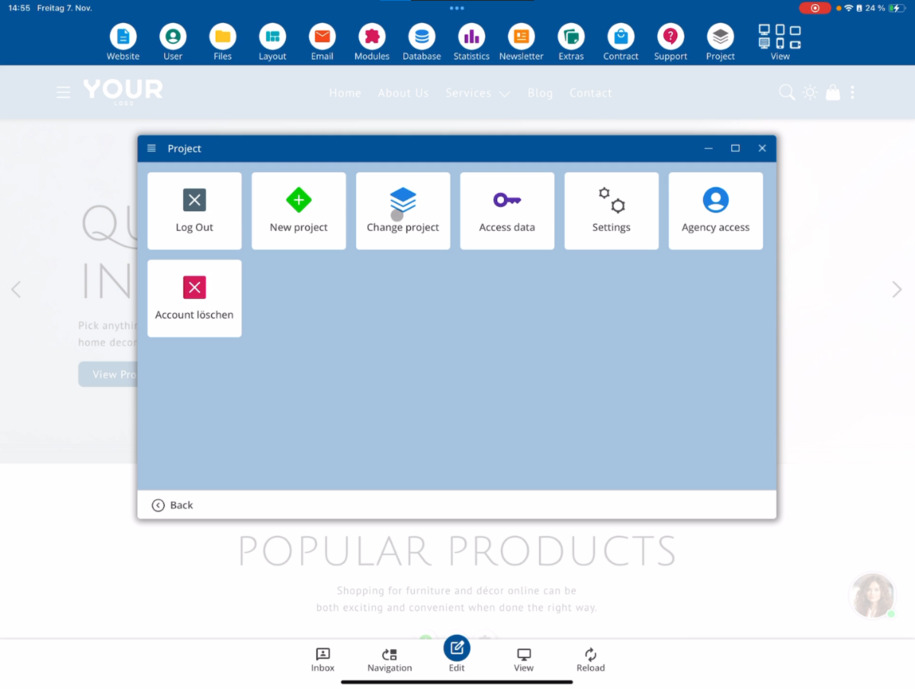
To start a new project, click on Project ⯈ New Project. Now you can create a new project. A project always represents a complete website – for example, your own online shop.
Wenn du als Webentwickler, Webdesigner oder Agentur arbeitest, hast du vielleicht mehrere Kundenprojekte. Jedes dieser Projekte repräsentiert eine eigene Webseite. Über die App kannst du beliebig viele davon verwalten.
To add another project, choose Project ⯈ New Project or – if you want to incorporate an existing project – tap on Existing Project.
Unten kannst du bei Bedarf die Standardsprache deines Projekts anpassen.
Next, enter your domain in the Access Data section. It’s sufficient to enter only the part before bxserver – the rest will be automatically completed.
Then enter your username and your password.
If your password is incorrect or you have forgotten it, simply use the Forgot Password function at the bottom.
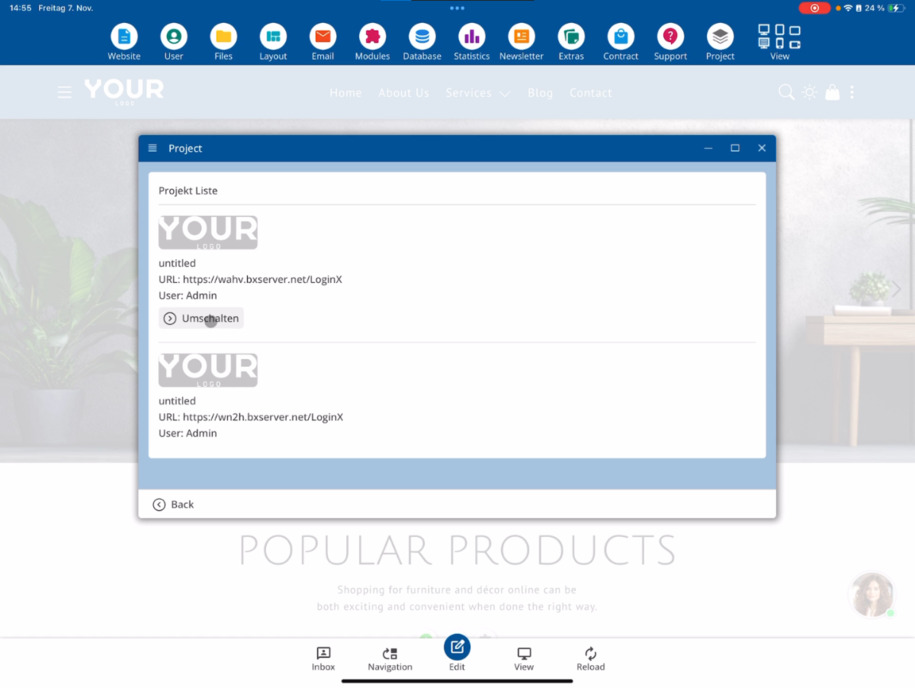
After adding, you are directly in your new project. At the top, you can switch between multiple projects using Project Change.
Through Project Management, you can create, manage, and quickly switch between as many web projects as you like.
Wenn du den Reseller-Status besitzt, kannst du während der Entwicklung mehrere Pakete gleichzeitig führen. Die übrigen Pakete bleiben dabei weiterhin zahlungspflichtig.
FAQ
what customers often ask us
Click on Project ⯈ New Project in the app. Then you can enter all important data and create your new project.
Was bedeutet ein „Projekt“ in der bluetronix App?
Ein Projekt ist eine vollständige Webseite – etwa ein Onlineshop, eine Firmenhomepage oder eine Kundenwebsite. Wenn du mehrere Kunden betreust, kannst du für jeden ein eigenes Projekt anlegen und separat verwalten.
Kann ich auch bestehende Projekte hinzufügen?
Yes. If you already have a project, simply tap on Existing Project. There, you can enter your domain, username, and password in the credentials section to add the project.
Wie trage ich die Domain korrekt ein?
In the domain field, enter only the part before bxserver. The rest will be automatically recognized and completed – you don’t need to adjust anything else.
Was mache ich, wenn ich mein Passwort vergessen habe?
Simply use the Forgot Password function at the bottom of the login area. You will then receive a chance to reset your password and log in again.
Wie kann ich zwischen mehreren Projekten wechseln?
At the top of the app, you will find the option Change Project under Project . This allows you to quickly switch between your projects.
Wie viele Projekte kann ich gleichzeitig verwalten?
Du kannst beliebig viele Projekte in der bluetronix App anlegen und verwalten. Das gilt sowohl für eigene als auch für Kundenprojekte.