

Project management in the bluetronix app – easily manage multiple websites
In this tutorial, you will learn how to use the project management feature of the bluetronix app to centrally control multiple websites or client projects – including access credentials, language settings, agency access, and much more.
Die Projektverwaltung in der bluetronix App
In this tutorial, you will learn how to use the project management feature in the bluetronix app to efficiently manage multiple projects.
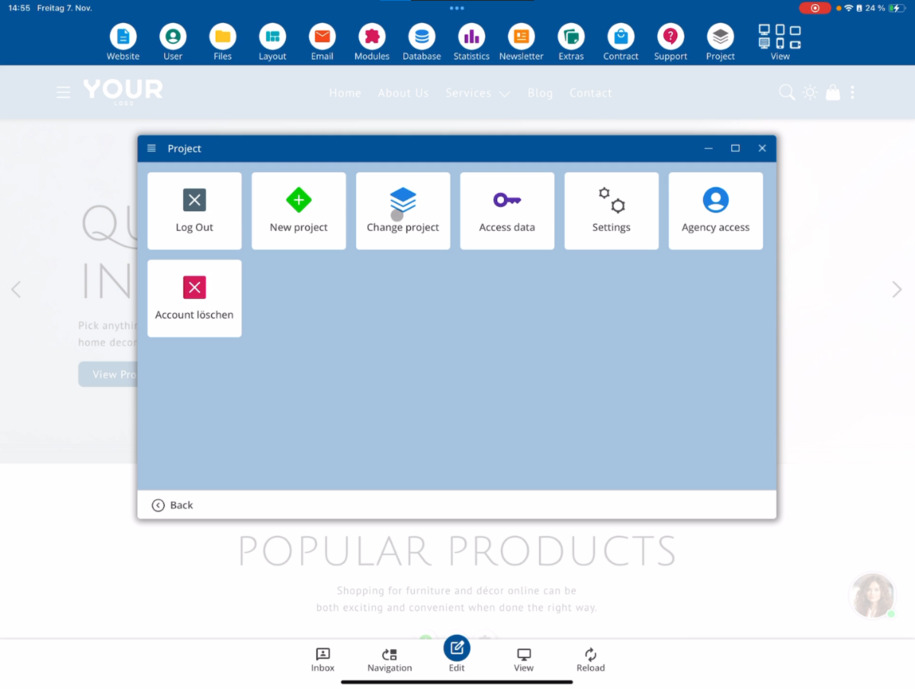
Im Bearbeitungsmodus findest du rechts oben den Bereich Projekt. Dort kannst du dich vom aktuellen Projekt abmelden, neue Projekte hinzufügen oder zwischen bestehenden Projekten wechseln. So hast du jederzeit einen Überblick über alle deine Projekte und kannst bequem hin- und herschalten.
In the project management area, you will also find all the essential access credentials for your project. This includes the login domain, your username, and the already assigned password. A button allows you to open your project directly in the browser outside of the app – as well as your published website.
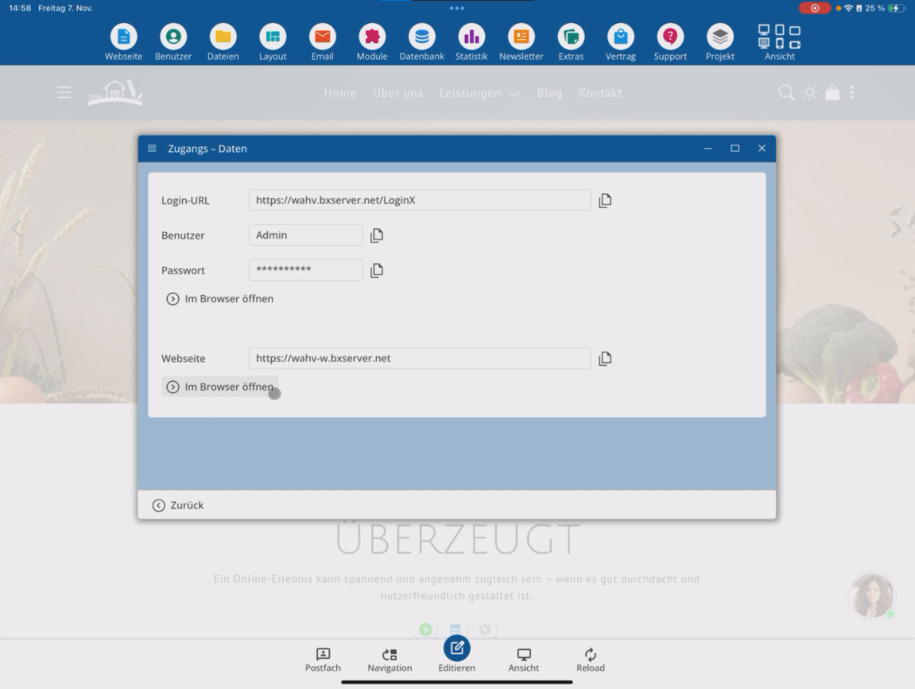
For better orientation: The normal domain takes you to the internal login area of your CMS. Here you will see content that is not publicly accessible. If it is the same domain with the addition -w, you will access the public area of your website.
Deine Webseite ist nur dann im öffentlichen Bereich erreichbar, wenn sie bereits veröffentlicht wurde.
In the settings of project management, you can upload your own logo. This will display your branding in the CMS instead of the bluetronix logo – ideal if you are working as a web developer or agency.
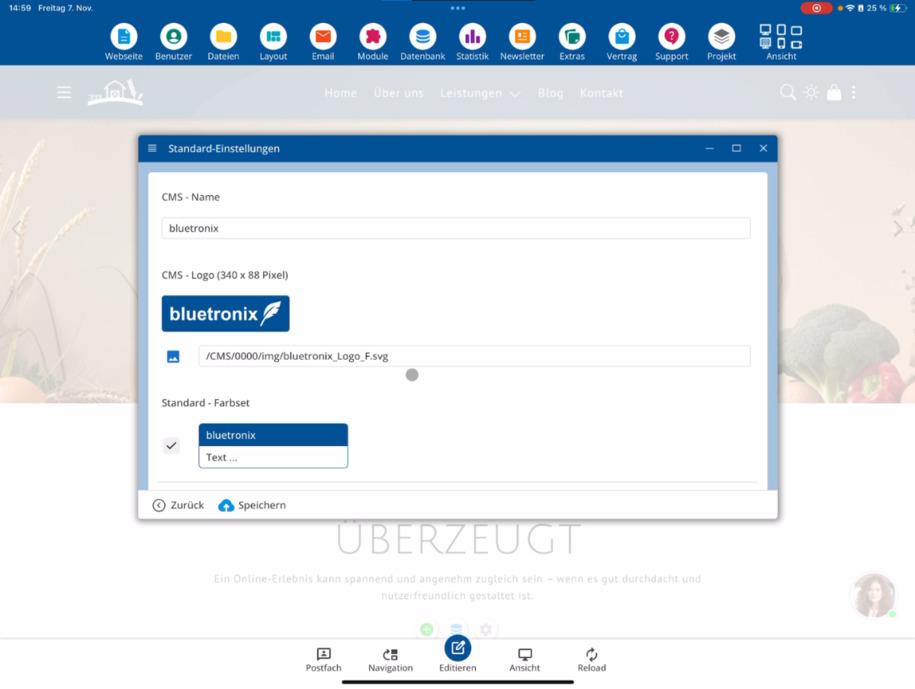
As an agency or developer, you can also assign your own CMS name at the top. Additionally, various form sets can be managed and the default language in which project management starts can be set.
If you need advanced features, you can apply for agency access via the menu. By default, you have admin rights but no agency rights. With approved agency access, you gain extended access – for example, to PHP and MySQL features – to implement complex client projects.
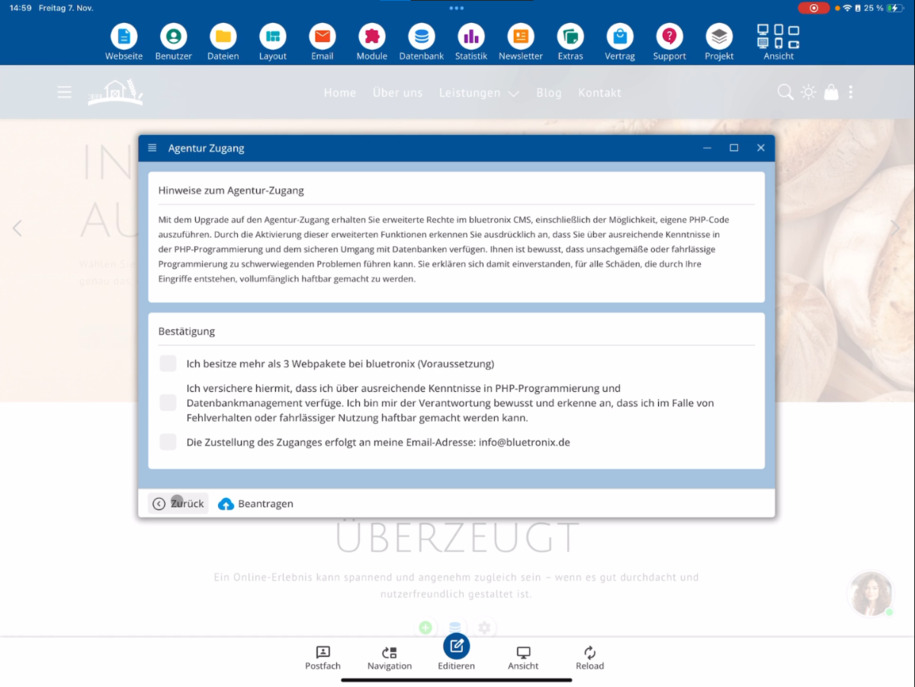
Der Agenturzugang ist an bestimmte Bedingungen geknüpft und sollte nur beantragt werden, wenn du fortgeschrittene Kenntnisse besitzt.
Another important point concerns your account: Through the app, you can delete your entire account – including all domains, contracts, and email addresses.
Sei hier besonders vorsichtig: Nach der Löschung deines Accounts ist keine Wiederherstellung mehr möglich!
FAQ
what customers often ask us
Im Bearbeitungsmodus siehst du rechts oben den Menüpunkt Projekt. Dort kannst du dich vom aktuellen Projekt abmelden, neue Projekte hinzufügen oder zwischen bestehenden Projekten wechseln.
Wie kann ich zwischen mehreren Projekten wechseln?
Wenn du mehrere Projekte verwaltest, siehst du in der Projektverwaltung eine Übersicht aller Projekte. Über diese Liste kannst du bequem das aktive Projekt auswählen und wechseln.
Wo finde ich meine Zugangsdaten?
In der Projektverwaltung findest du alle wichtigen Zugangsdaten zu deinem Projekt – darunter die Login-Domain, deinen Benutzernamen und dein Passwort. So kannst du dich jederzeit direkt anmelden.
Wie öffne ich meine Webseite außerhalb der App?
You can directly open your website in an external browser using the corresponding button. This applies to both the login domain and the public website, provided it has already been published.
Was ist der Unterschied zwischen der Login-Domain und der öffentlichen Webseite?
The normal domain takes you to the internal login area of your CMS. However, if the domain contains a -w, you will be directed to the public website. This is only accessible if it has already been published.
Kann ich mein eigenes Logo in der Projektverwaltung verwenden?
Ja, du kannst in den Einstellungen dein eigenes Logo hochladen. Dadurch wird im CMS dein Logo statt des bluetronix-Logos angezeigt. Ideal, wenn du als Agentur oder Entwickler arbeitest.
Wie kann ich den CMS-Namen und die Standardsprache anpassen?
In the settings, you can assign a custom CMS name at the top and set the default language at the bottom, which the project management should start with.
Was ist der „Agenturzugang“ und wie beantrage ich ihn?
By default, you start as an admin with limited rights. Through the Apply for Agency Access option, you can request additional agency rights. These allow you to access advanced features, such as your own PHP and MySQL programming for complex client projects.
Wie kann ich meinen kompletten Account löschen?
In der App findest du eine spezielle Funktion, mit der du deinen gesamten Account inklusive Domain, E-Mail-Adresse, Vertrag und weiterer Daten löschen kannst.