

Publish website under your domain – set main domain & release
This tutorial shows you how to make your domain the main domain and officially publish your website. You will learn step by step how to grant access and what legal points you need to consider.
Display domain and set as the main domain
Once your domain has been registered, you can find it under Extras ⯈ Domain. Your new, now accessible domain will be displayed there.
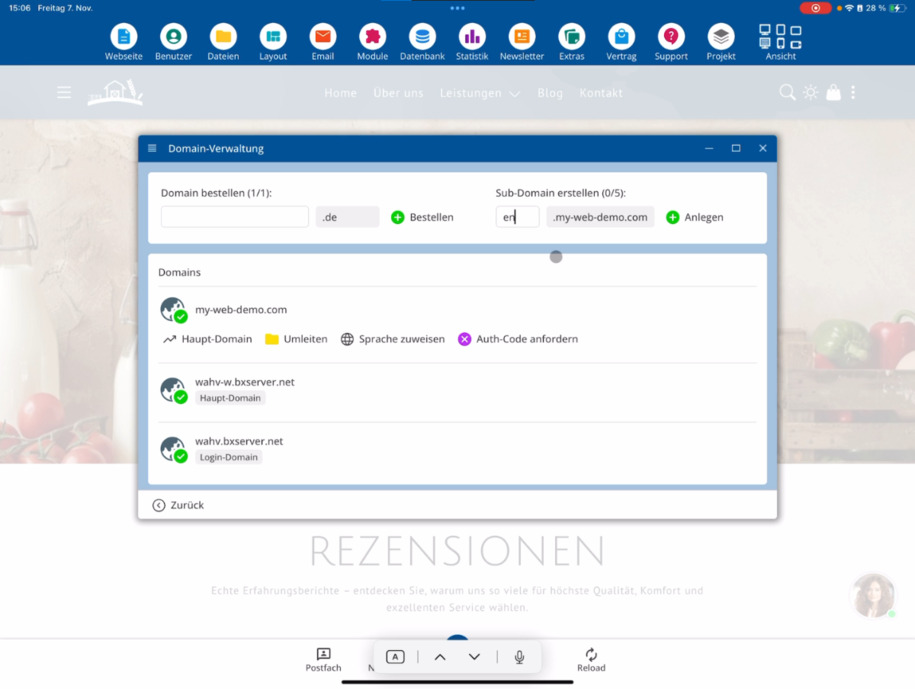
To publish your website at this address in the future, set the domain as the Main Domain. With this step, the system automatically switches – from now on, this address will be considered the public main domain. Editing via this domain remains possible.
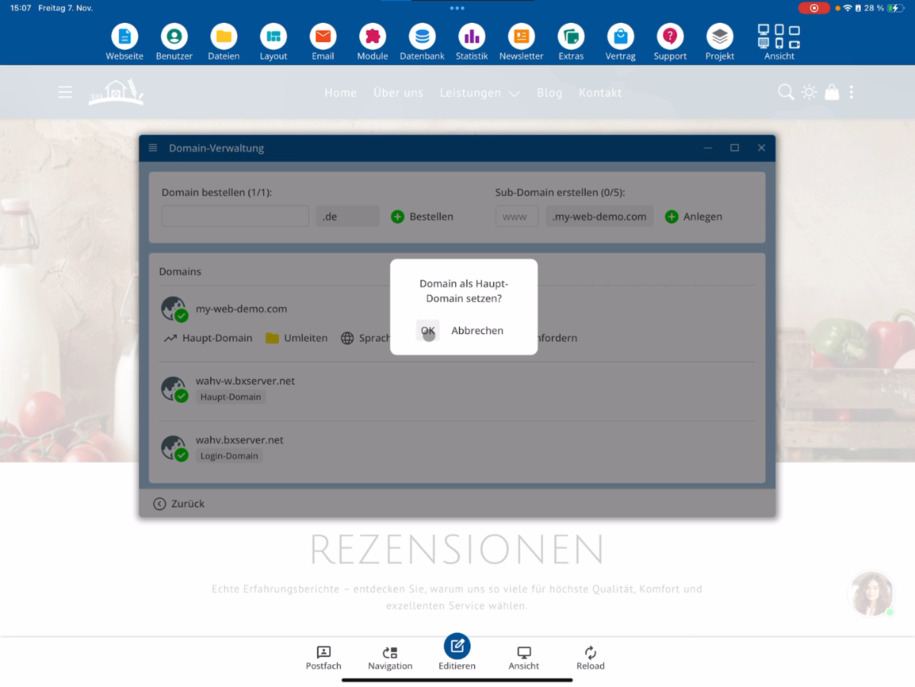
Publish website under the domain
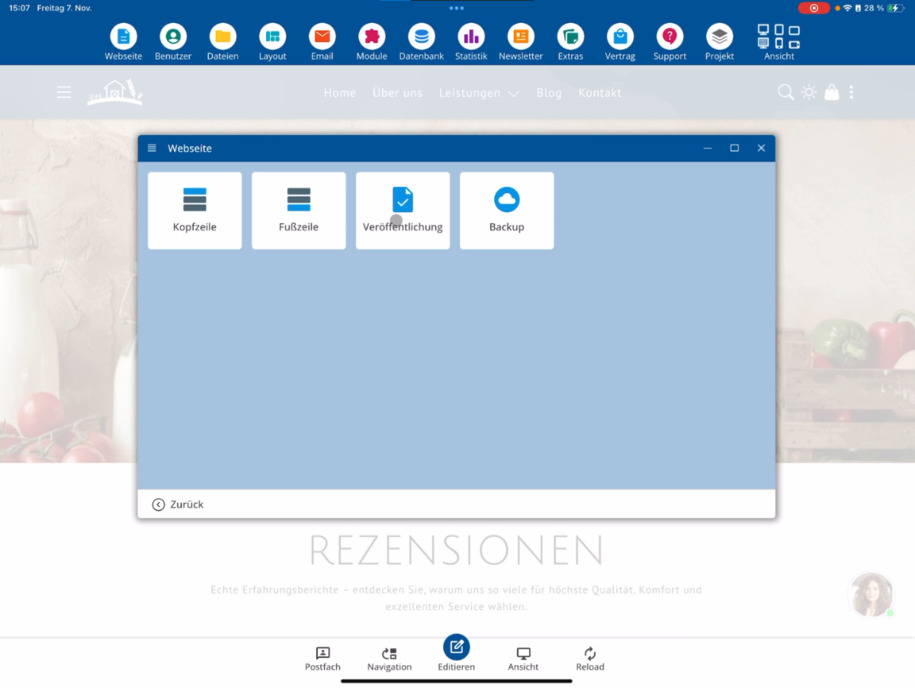
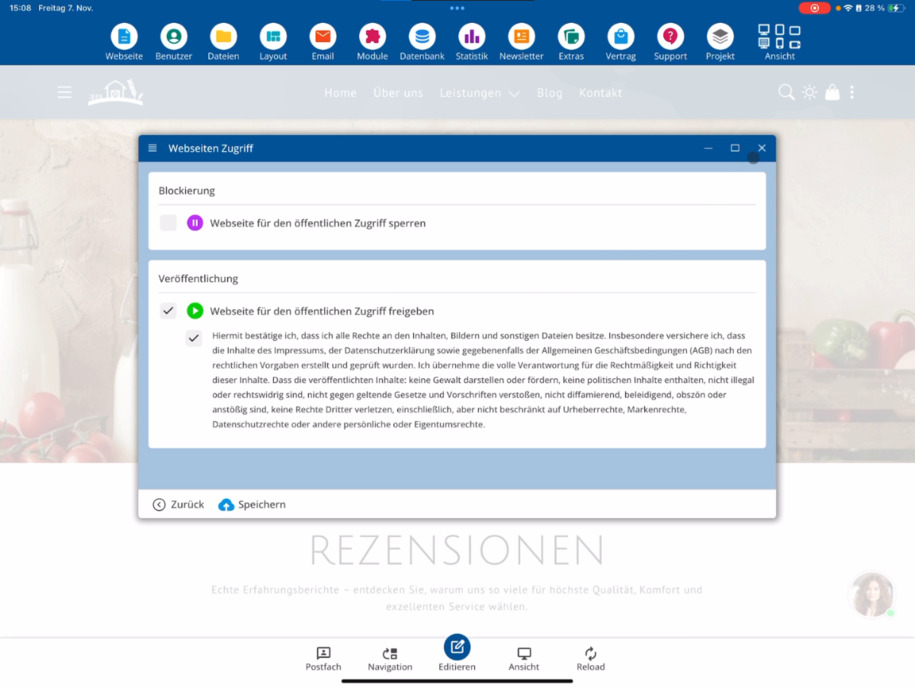
Then close the domain management and switch to the Website ⯈ to Publish section. There you can grant access to your website. Until now, it was locked, so click on Grant public access to website now.
Please read the terms and conditions carefully. Make sure you own the rights to all images used and – if necessary – provide complete terms and conditions as well as a correct imprint.
Confirm the information and click Save. After that, your website will be published and publicly accessible.
FAQ
what customers often ask us
How do I find my newly registered domain?
Go to Extras ⯈ Domain. Your registered and immediately accessible domain will be displayed there.
How do I set my domain as the main domain?
Open the Domain section and click on Main Domain. From this moment on, your domain will be used as the public main domain. You can continue to edit your website through this address.
How can I publish my website under the domain?
Close the domain management and go to Website ⯈ to Publish. Click on Share website for public access to publish it.
What prerequisites do I need to consider before publishing?
You must confirm the terms and regulations. Ensure that you own the rights to all images used and that all necessary legal content such as terms and conditions and imprint are complete.
When will my website be publicly visible?
After you have confirmed everything and clicked Save, your website will be published immediately and will be publicly accessible.