

Use bluetronix CMS in the browser – sign in without an app on all devices
In this tutorial, you will learn how to use the Bluetronics CMS entirely without an app through your browser. You will learn how the login works, what restrictions exist, and how you can flexibly combine browser and app.
Use CMS without an app through your browser
You can use the Bluetronics CMS at any time without an app – directly through your system browser on PC, Mac, or Linux. Supported browsers include Safari, Microsoft Edge, Google Chrome, Firefox, and Opera.
Login via Safari on iPad or iPhone
In the tutorial, you will see the login on the iPad. It works the same way on the iPhone:
Launch Safari ⯈ open a new tab ⯈ enter your login details exactly as you received them via email.
If you have logged in before, you can use the automatic password filling. Otherwise, enter your username and password manually.
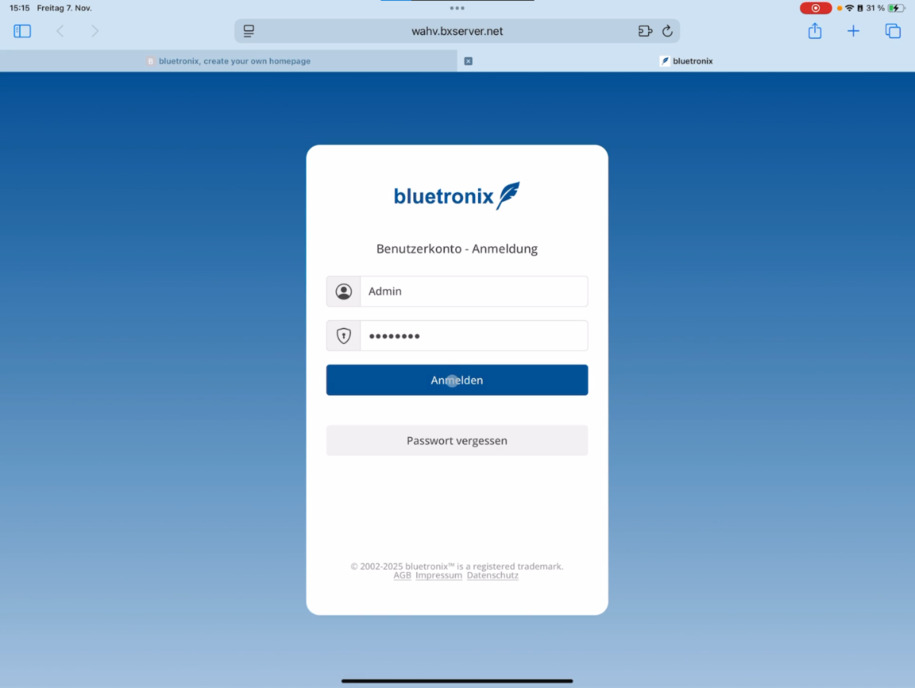
Working in the browser – just like in the app
After logging in, you are directly in editing mode and can edit your website as usual – without any restrictions in the editor.
Project management is only available in the app. Additionally, without the app, you will not receive notifications, e.g., for chat messages, forms, or shop orders.
Flexibly combine browser & app
You can use both options simultaneously: Work conveniently on the go via iPad or smartphone and continue your work later in the office on a Mac or PC.
FAQ
what customers often ask us
Can I use the Bluetronics CMS without an app?
Yes, you can normally use the Bluetronics CMS through the system browser – whether on PC, Mac, or Linux. Just use Safari, Microsoft Edge, Google Chrome, Firefox, or Opera.
Does the CMS work on iPad or iPhone?
Yes, on the iPad and iPhone, you can easily open the CMS in Safari. The operation is similar to the app version.
How do I log in via the browser?
Open your browser ⯈ start a new tab ⯈ enter your login details exactly as you received them via email. If you have logged in before, you can use the automatic password filling.
Can I edit my website just like in the app?
Yes, as soon as you are logged in, the editing mode is active and you can edit your website normally.
Are there limitations without the app?
Yes, project management is only available through the app. Additionally, you won’t receive notifications, e.g., about chat messages, forms, or shop orders without the app.
Can I use the browser and app simultaneously?
Yes, both can be used in parallel. You can work on the go with your iPad or phone and later continue in the office on your Mac or PC.