

Reset your Bluetronix CMS password – quick recovery
Here you will get a clear step-by-step guide on how to recover your lost Bluetronix CMS password – from clicking on "Forgot Password" to receiving your new login details.
Reset your password for the Bluetronix CMS
In this tutorial, you will learn how to quickly and securely restore your password for the Bluetronix CMS if you forget it.
If you are on the login screen and see the message "Username or password incorrect", click on Forgot Password below.
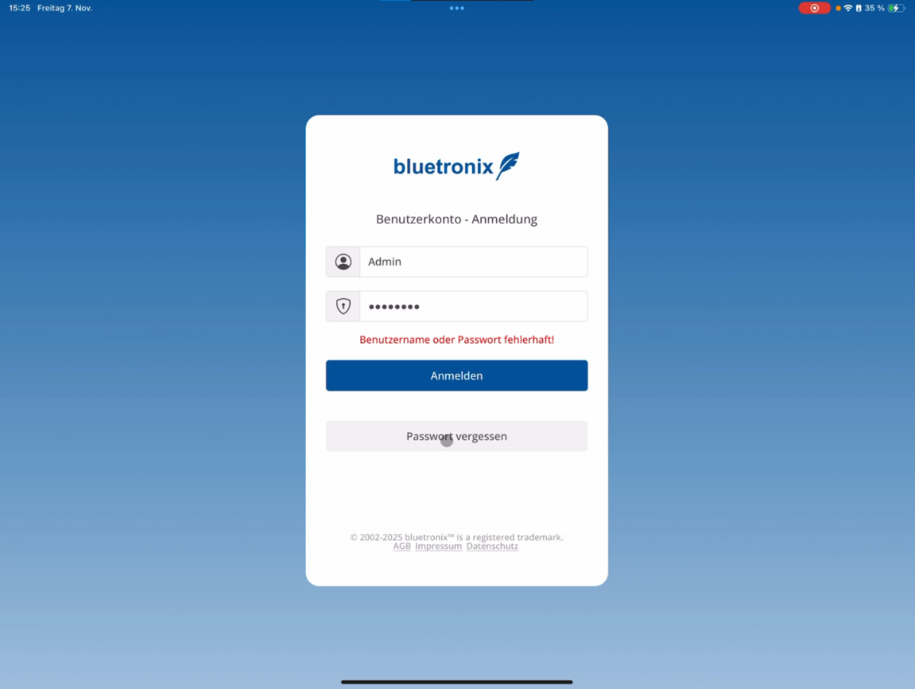
Then enter your email address and click on Send Code.
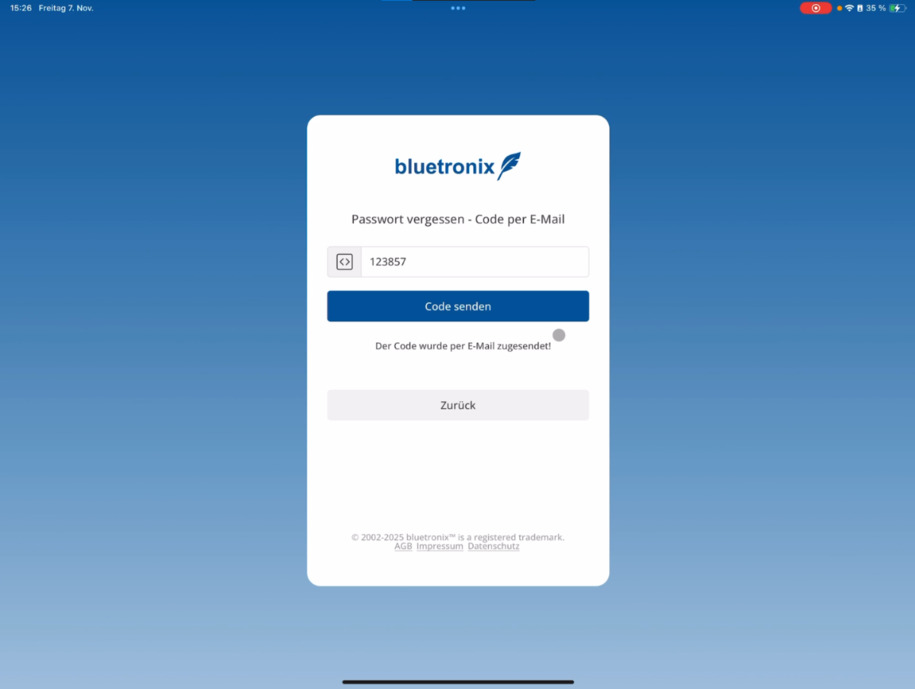
A few seconds later, you will receive a confirmation code via email. This will verify that you are indeed the account holder.
Enter the code – after that, you will automatically receive new login details via email.
Note: For older accounts, the corresponding information may also be displayed directly in the CMS.
FAQ
what customers often ask us
What do I do if my password does not work in the Bluetronix CMS?
If you see the message "Username or password incorrect", simply click on Forgot Password below to start the recovery process.
How can I request a new password?
Enter your email address and click on Send Code. Shortly after, you will receive a confirmation code via email.
What do I need the sent code for?
The code confirms that you are indeed the account holder. After you enter it, you will receive new login details via email.
What happens with older accounts?
For older accounts, the information for resetting the password will also appear directly in the CMS. You will be automatically notified.