

Packages, credits, and settings in the bluetronix CMS – your overview
This tutorial provides you with a clear overview of all important settings: booking packages, selecting server packages, adding credits, and entering your billing and owner information – perfect for starting your free trial.
Your free trial period
After setting up your project, you can now test the Bluetronix CMS for free for ten days. During this time, the Free package will be available to you automatically.
Subscription packages and contract overview
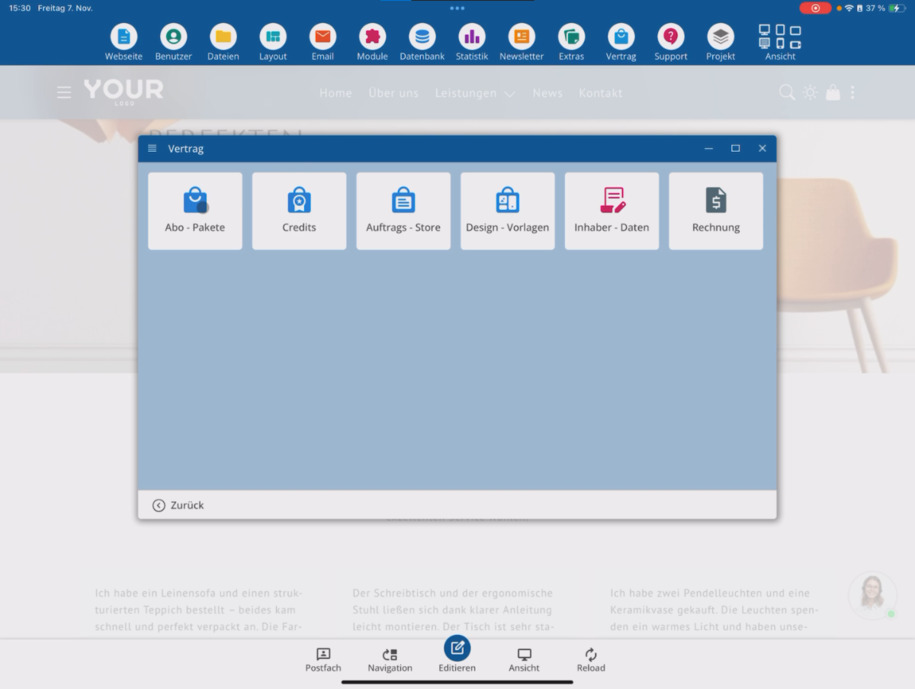
Under Contract, you can find all available subscription packages. There, you can see which options you can subscribe to – including terms of use and privacy policy.
If you need a package, you can subscribe to it directly through the store.
Server Packages
In the same section, you will also find server packages. With these, you can rent your own server if you need more performance or a dedicated environment.
Recharge Credits
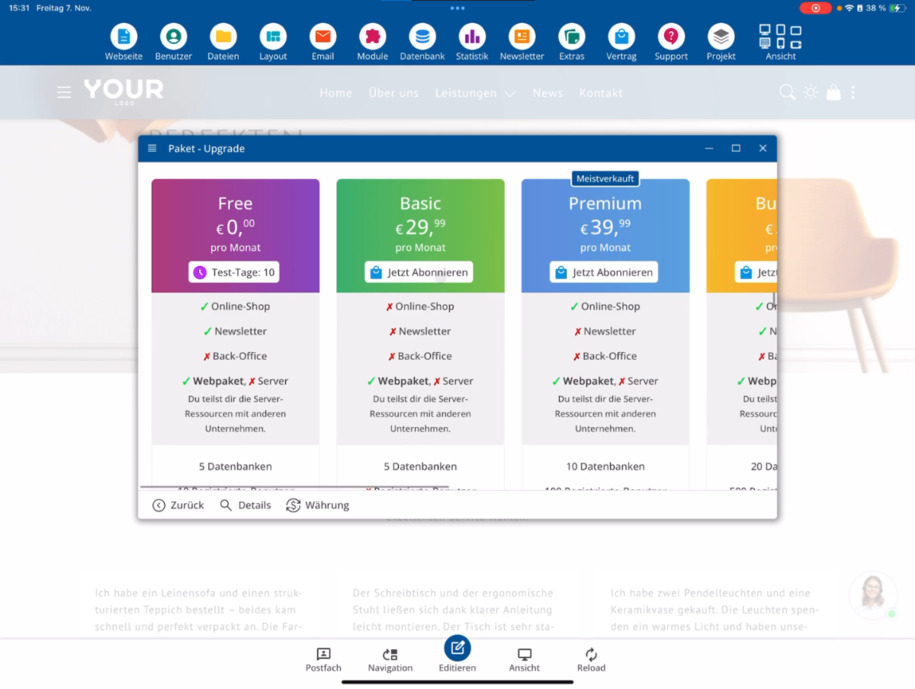
For additional domains or AI credits, you use credits. You can purchase these at any time by clicking on Recharge Credits in the corresponding section.
Enter billing and owner details
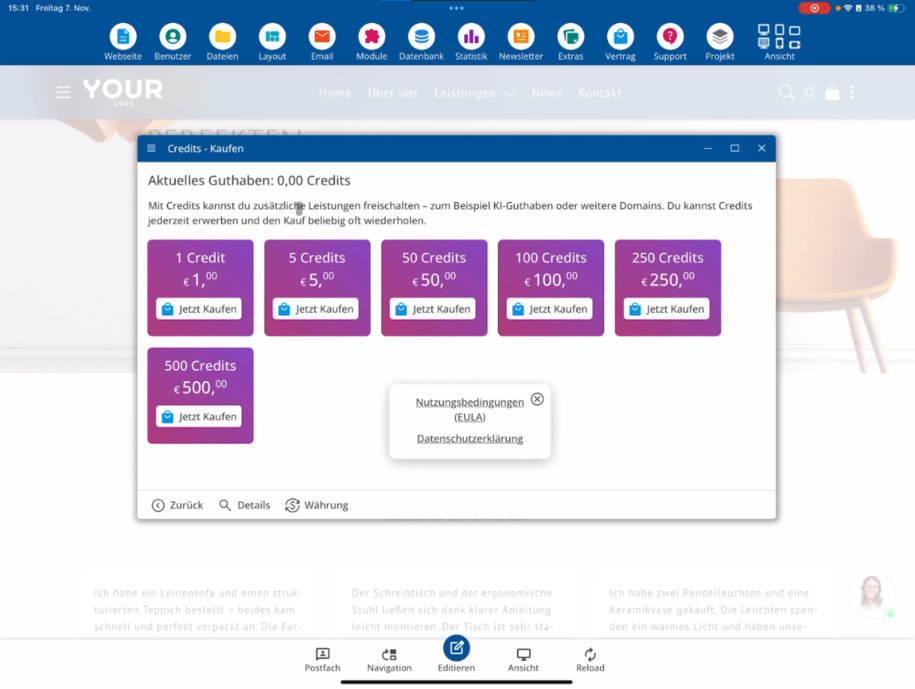
So far, you have only provided your email address. To receive invoices, go to Owner Data and enter your complete billing information there.
Here you will also add all necessary information for domain registration as well as the website owner's details.
Enjoy your free trial of the Bluetronix CMS!
FAQ
what customers often ask us
How long can I test the Bluetronix CMS for free?
You can test the system completely free for ten days. During this time, you will automatically use the Free package.
Where can I find the subscription packages?
Under Contract, you can see all available subscription packages that you can subscribe to directly through the store.
What are server packages?
Server packages enable you to rent your own server – ideal if you need more performance or full control over your environment.
What are credits for?
You can use credits for additional domains or AI credits. You can simply recharge them by clicking on Recharge Credits in the corresponding section.
What data do I need to enter for invoices?
Under Owner Data, you enter your billing information. You also provide information for domain registration as well as the website owner.
Where can I find the terms of use and the privacy policy?
Both can also be found in the Contract section, along with your current package status.