

Redirect externally registered domain to bluetronix
This section shows step by step how to direct an already registered domain to bluetronix without changing providers. You will then use your existing address along with your bluetronix server.
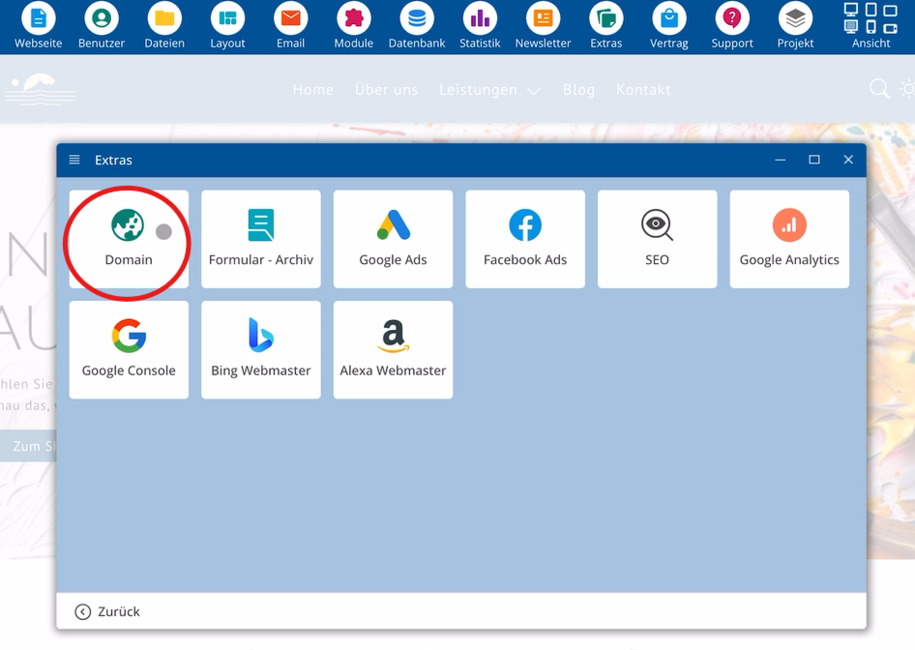
Area Extras > Open Domain
Start the bluetronix CMS and select Extras. Then click on Domain. On the right, an overview of your existing addresses will appear.
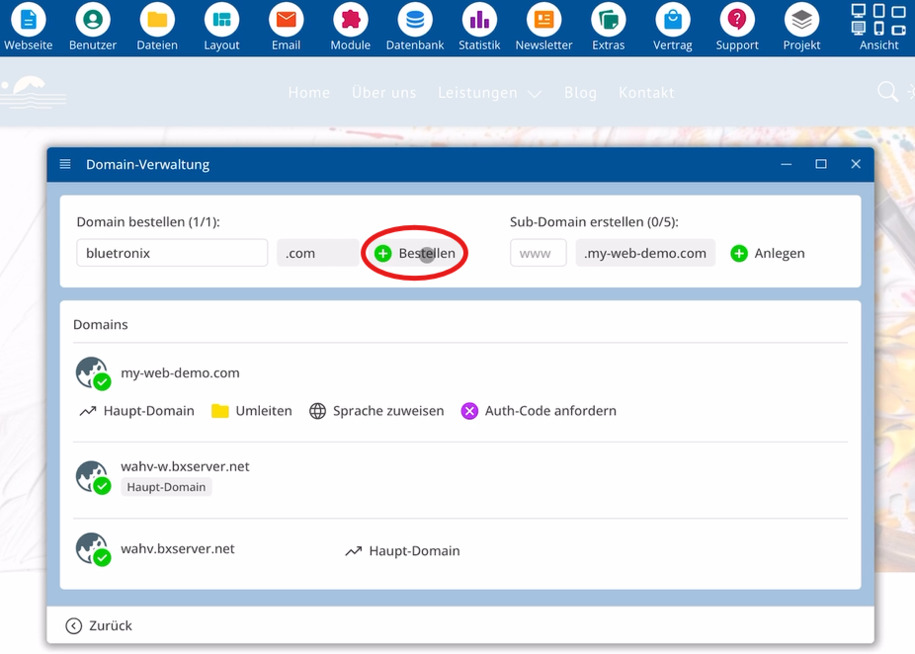
Enter externally registered domain
Enter your already registered address, for example bluetronix.com.
Important information for this setup:
⯈ Domain – existing address, such as bluetronix.com
⯈ External Hosting – domain remains with your current provider
⯈ A-Record – entry that links a domain with an IP address
⯈ IP Address – address of your bluetronix server
Host domain via external provider
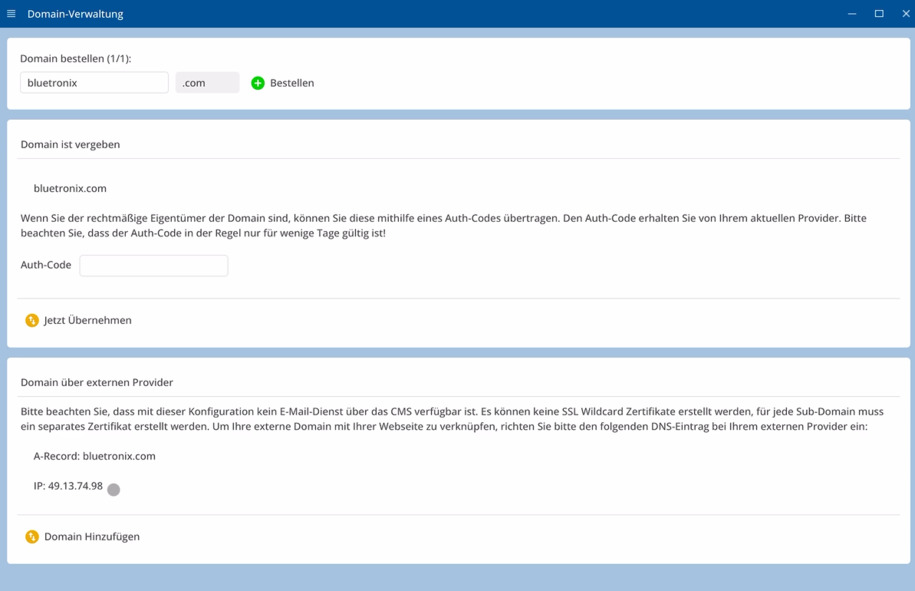
Below the domain input is an option for hosting via an external provider. If you choose this option, your address will remain with your current provider. A provider change is not necessary.
Then create an A-Record pointing to the IP address of your bluetronix server. This entry ensures that requests to your domain reach the bluetronix server.
At this point, copy the displayed IP address and apply it with the external provider within the DNS settings.
The domain remains fully with the current provider. The A-Record only directs requests to your bluetronix server without changing providers.
Add domain to bluetronix
Finally, add the domain within the domain management. This links your existing address with your bluetronix server.
FAQ
what customers often ask us
How do I redirect an externally registered domain to bluetronix?
Open the bluetronix CMS, select Extras, and then click on Domain. Enter your existing address, for example bluetronix.com, activate the option for external hosting and then set up the A-Record to the IP address of your bluetronix server.
Will my domain stay with the current provider?
Yes. The domain will remain with your current provider. You are only directing requests through the A-Record to your bluetronix server.
What does the option for hosting via an external provider mean?
This setting ensures that your domain remains with the previous provider while your bluetronix server delivers the content. The connection is established via the A-record to the IP address of your bluetronix server.
What is an A-record for a domain?
An A-record links a domain to an IP address, directing requests for your address to the bluetronix server.
Where can I get the IP address for the A-record?
The corresponding IP address is displayed in the domain management section of the bluetronix CMS. Copy this value and enter it with your external provider in the DNS settings.
Do I need to change my provider to use bluetronix?
No. You redirect your externally registered domain via A-record to the IP address of your bluetronix server. This allows you to use bluetronix alongside your previous provider.
What happens after adding the domain?
Once you have added the domain in the domain management section, your address will be connected to the bluetronix server. Requests for this domain will then go to your bluetronix server.