

Connect external mail server
This chapter shows you how to connect the bluetronix CMS with external mail accounts or mail servers. Afterwards, the system can send emails through external accounts and forward system notifications to external addresses.
Open the 'External Server' section
Open the E-Mail menu in the CMS and then select External Server. There you manage external mail accounts that you connect with bluetronix.
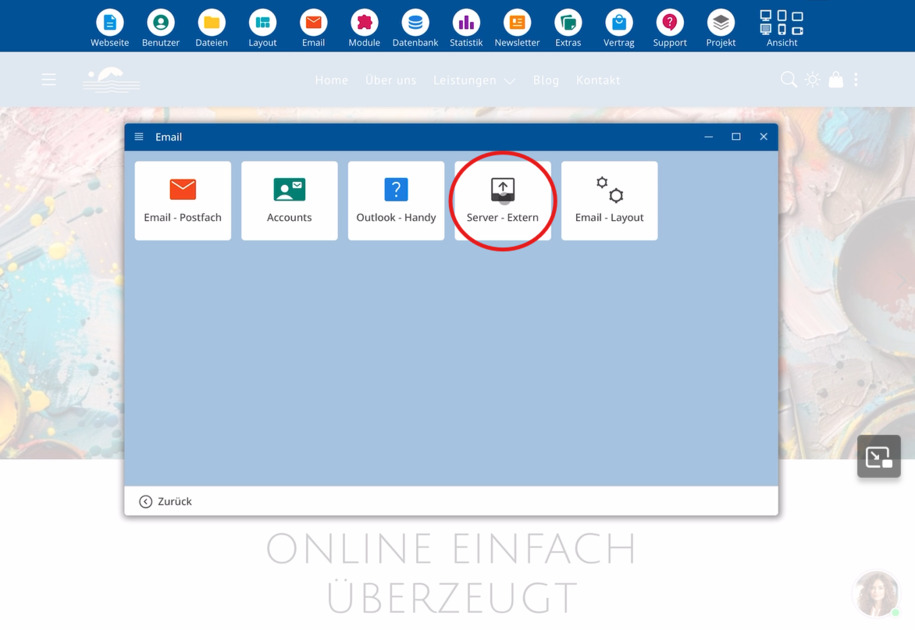
Create external mail accounts
In the External Server section, you can enter multiple external mail accounts. These accounts are used by bluetronix for two tasks:
⯈ Forward system notifications such as shop orders or form inquiries to external addresses
⯈ Send emails via the external mail server
Example: Using a Gmail account
You can enter an external mail account with Gmail. To do this, enter all the account access details.
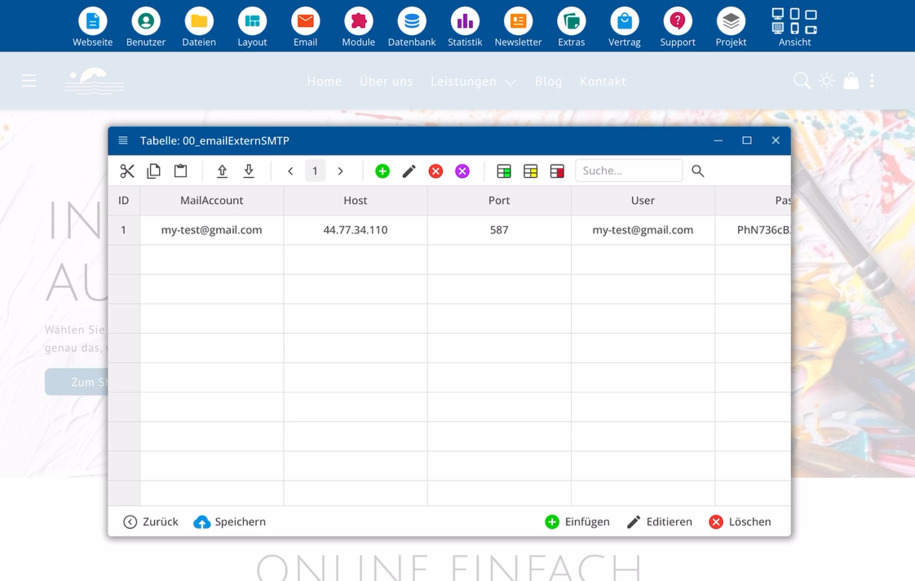
Enter access data
For each external mail account, you need the following information:
⯈ Email address (e.g. yourname@gmail.com)
⯈ Hostname or IP address of the mail server
⯈ Port for the mail server
⯈ Username for login
⯈ Password for access
Make sure that all details exactly match your mail provider's information. Only then can bluetronix successfully use the account.
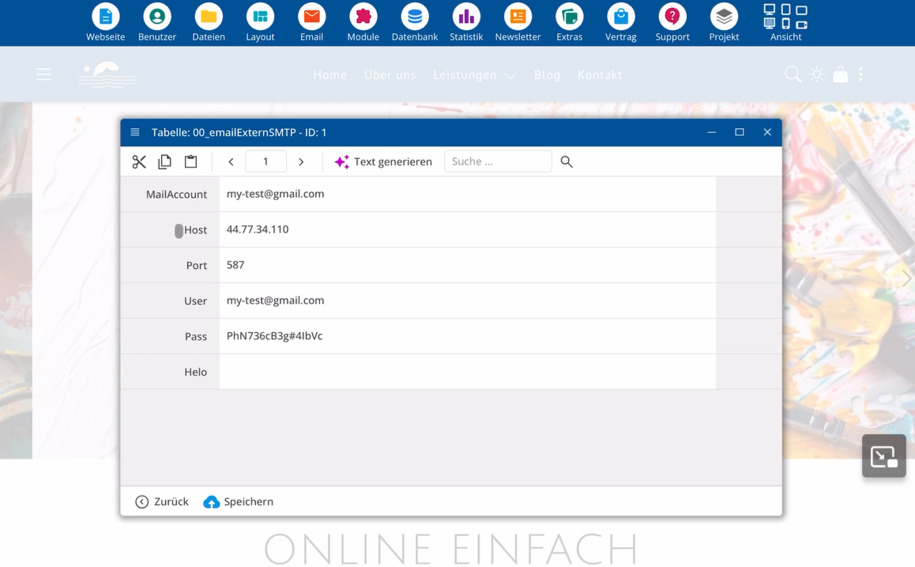
Hello setting at the provider
Some providers require a so-called Hello for login. This is an additional detail that the mail server checks during the connection.
Ask your mail provider's support whether you need to enter a Hello and what values you should use.
Save settings and connect
Once you have entered all data, save the settings. This links the bluetronix CMS with the external mail account.
From this point on, bluetronix can:
⯈ Send system notifications to the external email address
⯈ Send emails via the entered external mail server
FAQ
what customers often ask us
How do I connect bluetronix to an external mail server?
Open the E-Mail section and then External Server. There, you enter the access data of your external mail account and save the settings. After that, bluetronix is connected to the mail server.
Where do I enter external mail accounts?
You manage external mail accounts in the E-Mail menu under External Server. There you can create and manage multiple accounts.
What does bluetronix use external mail accounts for?
External mail accounts are used to forward system notifications like shop orders or form inquiries to external addresses. Additionally, bluetronix can send emails through these external accounts.
What information do I need for an external mail account?
You need the email address, the hostname or IP address of the mail server, the port, the username, and the password. You can get this information from your mail provider.
Can I use a Gmail account?
Yes, you can enter an external mail account with Gmail, for example. Enter the Gmail address and all related server details in the External Server section.
What does "Hello" mean during login?
Some mail providers require a so-called Hello during login to the mail server. This is an additional detail during the connection. Ask your provider's support whether you need a Hello and what values you should specify.