

Apply for agency access – this is how you get your developer access
In this tutorial, you will learn how to apply for agency access as a web agency or developer. The video shows you the entire process, the necessary requirements, as well as what happens after the application and when you will receive your access data by email.
Applying for agency access – here's how it works
In this tutorial, you will learn step by step how to apply for your agency access. By default, you start with Admin rights – the bluetronix web package comes with these permissions.
If you are part of a web agency or work as a developer, navigate to in the system:
Project ⯈ Apply for agency access
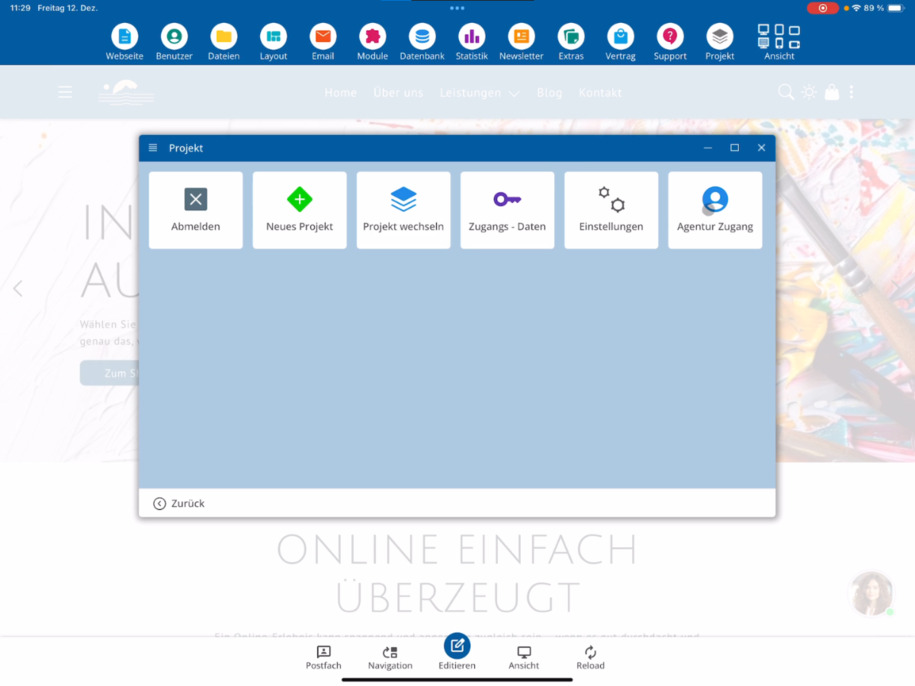
Important notes before applying
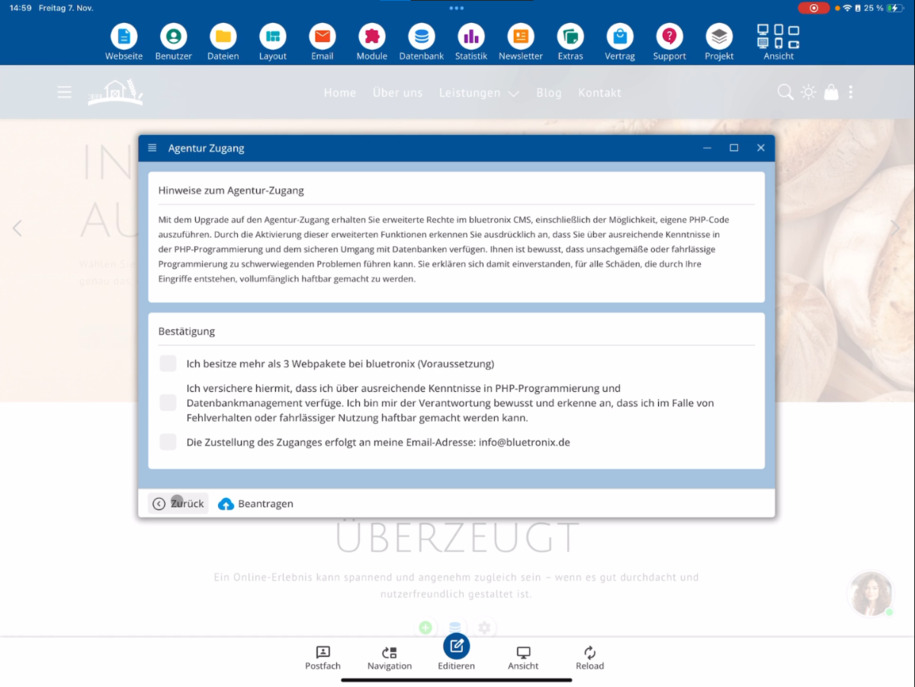
Please read all notes carefully before proceeding. You need to set three confirmations for the application.
You confirm that:
• You own at least three web packages.
• You have suitable programming skills.
• The approval for the agency access will be sent to your email address (in the example, you see a bluetronix address – in your case, it will be your own email).
Submit application and processing time
Once all three checks are set, click apply.
Processing usually takes three to five days, depending on whether you are already registered as a developer.
After successful verification, you will automatically receive the access data for your agency access via email.
FAQ
what customers often ask us
What is agency access?
Agency access is aimed at web agencies and developers. It allows you to manage projects with extended rights. By default, you receive Admin rights, which are included in the bluetronix web package.
Where can I apply for agency access?
You can find the application directly in the system under the menu path Project ⯈ Apply for Agency Access.
What requirements do I need to meet?
For the application, you must confirm that you have at least three web packages, possess suitable programming skills, and have a valid email address for consent.
Why do I need to set three confirmations?
The three confirmations ensure that you meet the professional and technical requirements for agency access and can use the access responsibly.
To which email address will the consent be sent?
The consent for agency access will be sent to the email address you have registered in your account. The video shows a bluetronix address – your own email will be displayed.
How do I apply for Agency Access?
Once all three checkboxes are checked, click apply to submit the application.
How long does it take for activation?
Processing usually takes three to five days. The exact duration depends on whether you are already registered as a developer.
How do I receive my access data?
After successful review, you will automatically receive your access data for your agency access via email.