

Agency access in the bluetronix CMS – features and possibilities
In this tutorial, you will learn about the features the agency access offers you in the bluetronix CMS. The tutorial shows you how to log in as an A-Admin, access files, PHP, and databases, as well as manage admin and user rights.
Overview of Agency Access
This tutorial provides you with a comprehensive insight into bluetronix's agency access. You will see what advanced features are available to you and how to use them in everyday tasks.
Start the bluetronix CMS and log in with your agency access – that is, with the A-Admin.
File management with agency rights
Open the File Management. In addition to your own folders, the bluetronix system folders will now be displayed. These are highlighted in red and contain important system files.
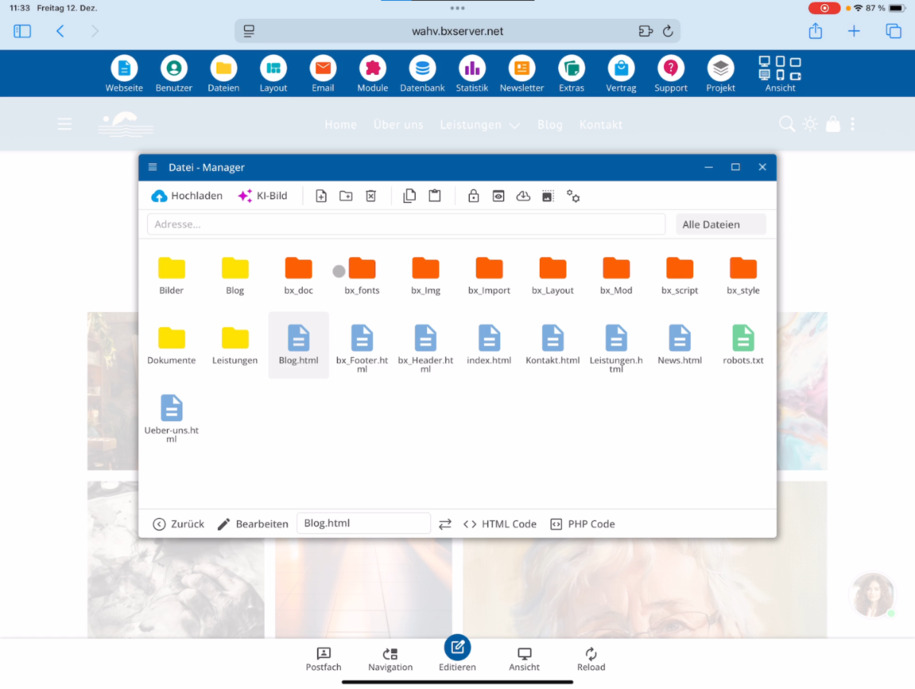
Here you can find text files like robots.txt. For your pages, you can directly access the HTML and PHP code.
The biggest advantage of agency access: You are allowed to create your own PHP files and edit them with the integrated PHP editor.
Create and edit PHP files
Create new PHP files and edit them directly in the system with the PHP editor. This way, you can implement individual functions and extensions.
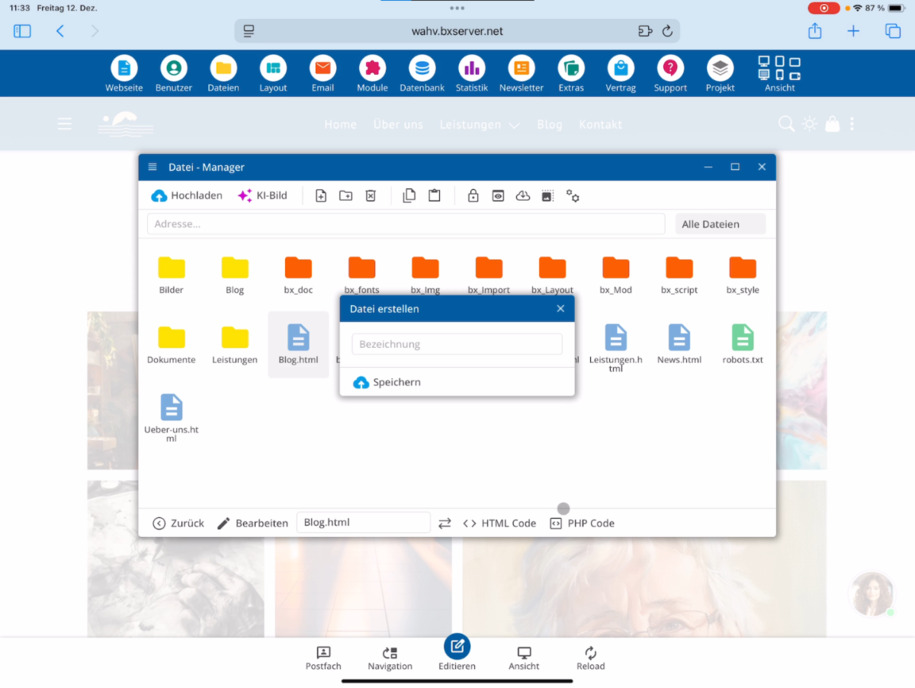
Manage user and admin access
Switch to Users ⯈ Editors. Here you can see your previous admin account.
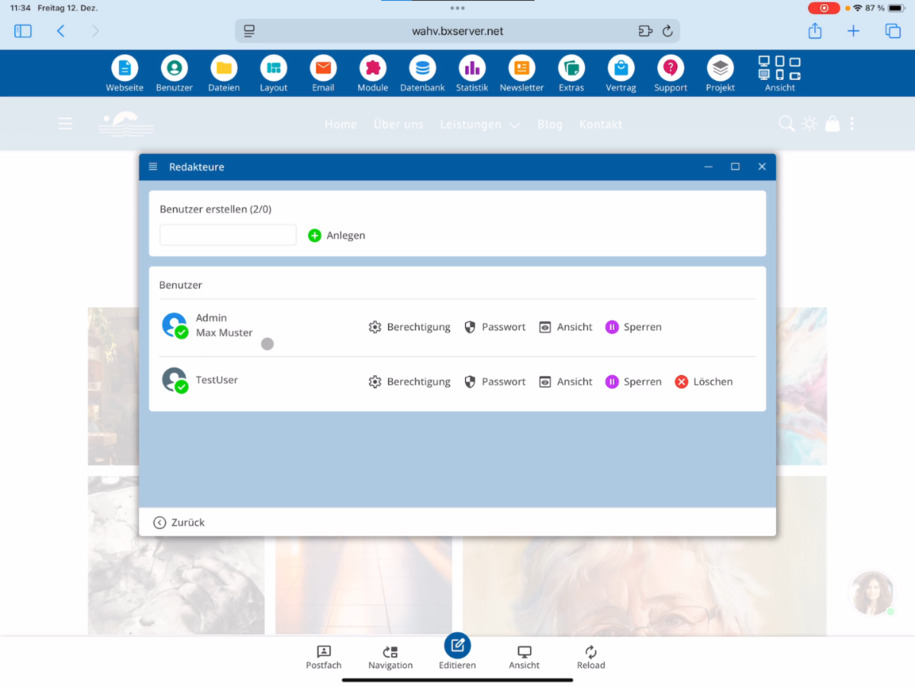
As an agency, you have the option to hand over the admin access to end customers in exceptional cases. Set a new password and share the login details.
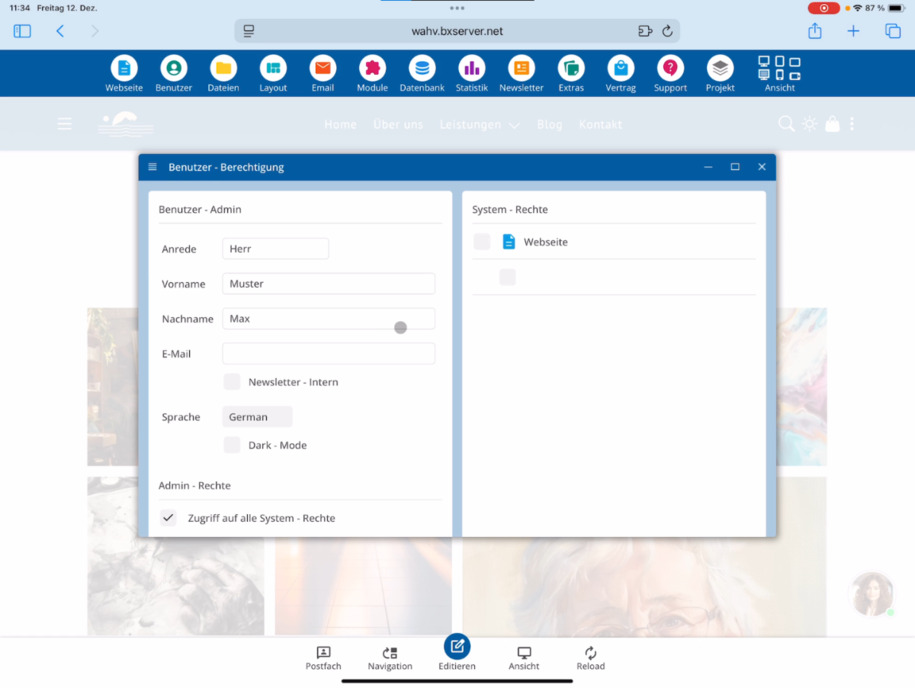
An admin has access to all system rights. You can create additional admins and assign extra system rights to test users.
Advanced system and database access
With the agency access, you can make deep changes to the system. You can integrate your own HTML5 Bootstrap templates – suitable tutorials can be found at bluetronix.
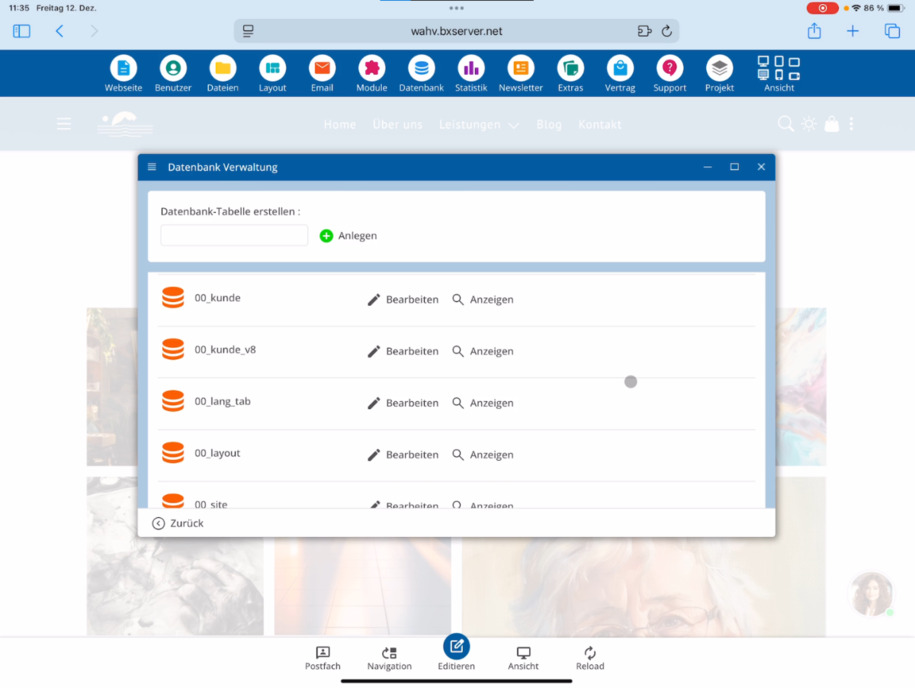
Additionally, you have full access to the PHP area as well as to all databases, including hidden system databases with the prefix 00. Below, you will also see your previous databases as usual.
FAQ
what customers often ask us
What does the tutorial on agency access contain?
The tutorial provides an overview of agency access and shows what extended options you have as an agency in the bluetronix CMS.
How do I log in with the agency access?
Start the bluetronix CMS and log in with your agency access, i.e., with the A-Admin.
What do I see in the file management as an agency?
In file management, you will see not only your own folders but also the bluetronix system folders. These are marked in red and contain, among other things, system files such as robots.txt.
Which files can I edit with the agency access?
You can directly access and edit the HTML and PHP code of your pages. The biggest advantage of agency access is that you are allowed to create your own PHP files and edit them with the integrated PHP editor.
Can I manage admin accesses as an agency?
Yes. Under Users ⯈ Editors, you see your existing admin account and can also grant admin accesses to end customers if needed.
What rights does an admin have?
An admin has access to all system rights. As an agency, you can create additional admins, reset passwords, and assign extra system rights to test users.
How deep is the system access with the agency access?
With the agency access, you make deep changes to the system. You can integrate your own HTML5 Bootstrap templates and have full access to the PHP area.
Which databases do I have access to?
You have access to all databases, including hidden system databases with the prefix 00. Below, you will also find your previous databases as usual.