

Rename and delete files in the file manager
In this tutorial, you will learn how to rename or delete files in the file manager. The tutorial explains the process step by step and shows how changes affect already linked files.
Rename and delete files
In this second tutorial on the file manager, you will learn how to correctly rename and delete files.
To do this, open the file manager via CMS ⯈ Files.
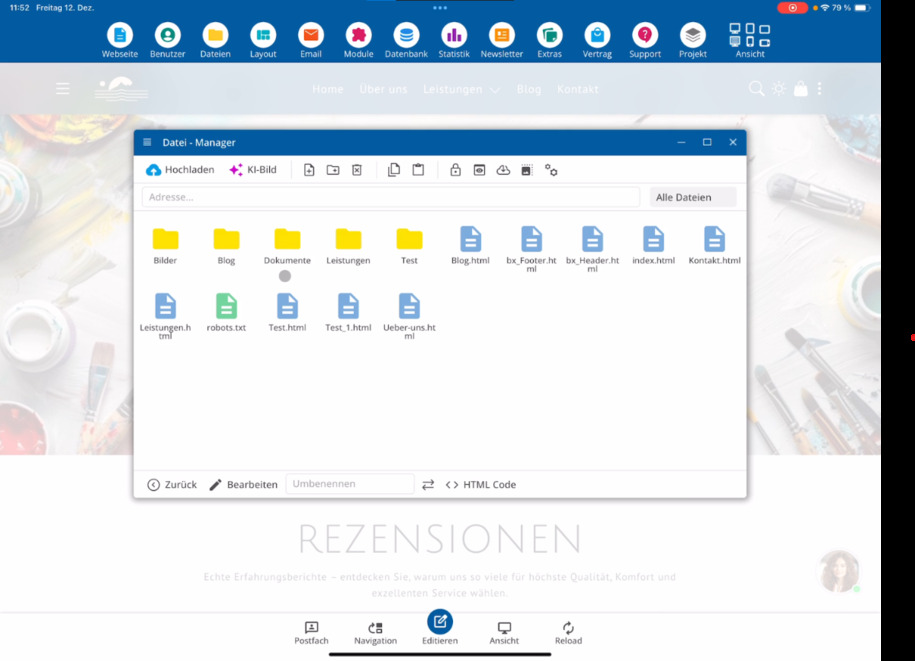
Rename files
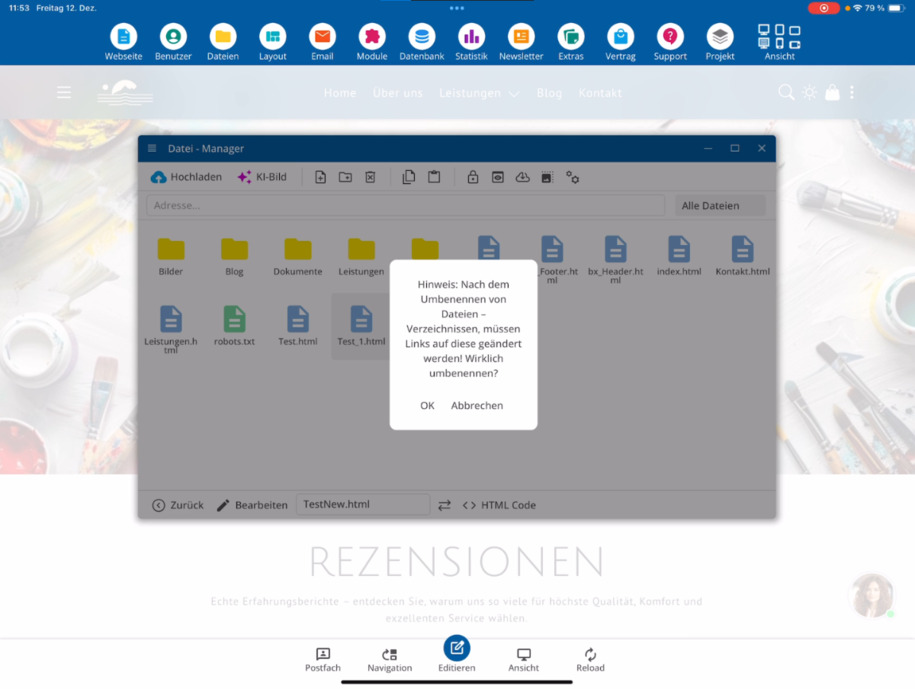
Select the newly created file and rename it. By changing the name, you directly change the designation of the file in the system.
If the file is already linked on your website, you must adjust all existing links to this file after renaming.
If the file is newly created and not yet linked, there are no connections. In this case, you can ignore the warning.
Delete files
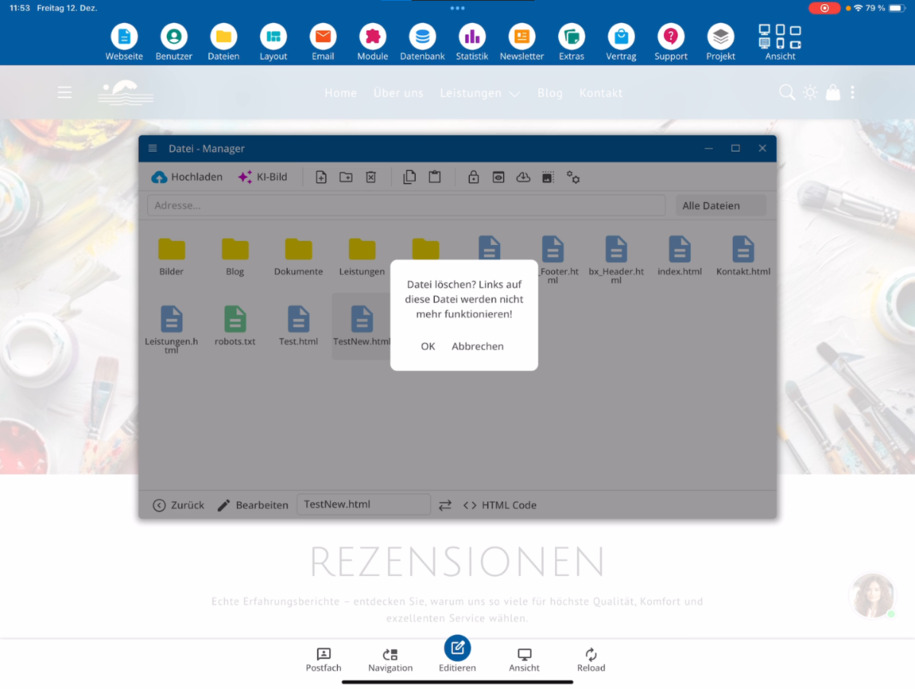
Next, the tutorial shows you how to remove files when they are no longer needed.
If the file has already been linked in the system before deletion, those links will no longer work afterwards. Adjust the links on your website or remove them completely.
FAQ
what customers often ask us
What does the second tutorial on the file manager show?
The tutorial explains how to rename and delete files in the file manager.
Where do I start to rename or delete a file?
Open the file manager via Files to select the desired file.
How do I rename a file?
Select the newly created file in the file manager and change the file name. This directly adjusts the name of the file.
What should I consider when renaming files?
If the file is already linked on your website, you must adjust all existing links to this file after renaming.
When can I ignore the warning when renaming?
If the file has just been created and is not yet linked, there are no connections. In this case, you can ignore the warning.
How do I delete a file?
In the file manager, you can select a file and delete it if it is no longer needed.
What happens to existing links when a file is deleted?
If the deleted file was previously linked in the system, those links will no longer work.
What should I do after deleting a file?
Check your website and adjust or remove existing links to avoid any broken connections.