

Check web space in the CMS – easily display used storage space
In this tutorial, you will learn how to view the current storage consumption in the CMS. You will see the occupied and maximum available web space, the storage requirements for images, videos, and documents, reserved email storage, and a detailed overview of all database tables.
Belegten Webspace im CMS anzeigen
In diesem Tutorial siehst du, wo du den belegten Webspace im CMS findest. Öffne dazu den Klickpfad Statistik ⯈ Speicherplatz.
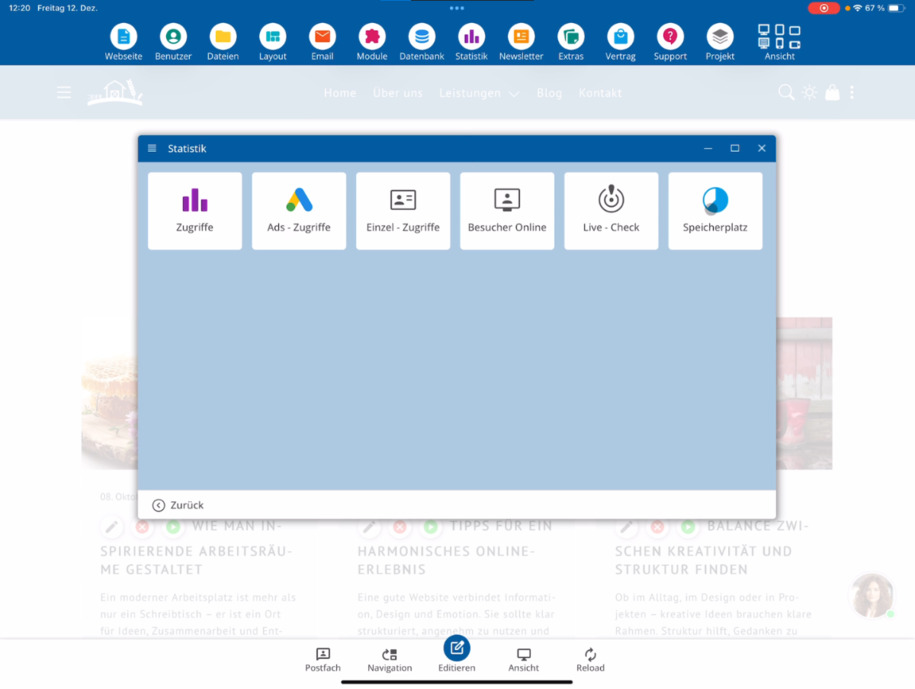
Gesamten Speicherplatz prüfen
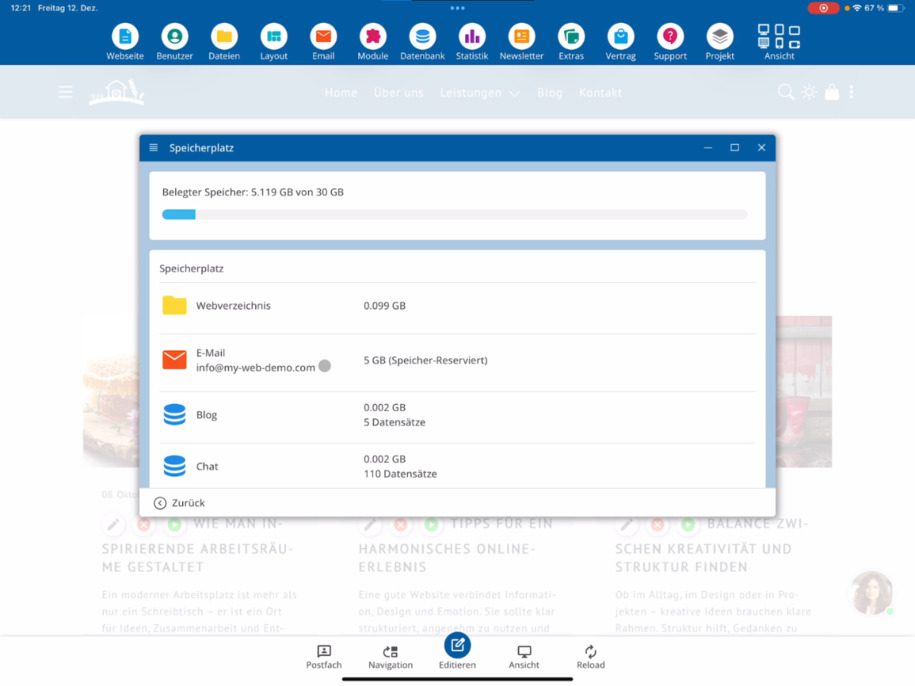
Auf dieser Seite erkennst du auf einen Blick den aktuell belegten Speicherplatz sowie den maximal verfügbaren Webspace.
Die angezeigten Werte hängen von deinem gebuchten Webpaket oder von den Einstellungen deines eigenen Web-Servers ab.
Webverzeichnis & Dateien
Weiter unten siehst du, wie viel Speicherplatz das Webverzeichnis belegt. Dort befinden sich alle hochgeladenen Bilder, Videos und Dokumente deiner Webseite.
E-Mail-Speicher verstehen
Für jede eingerichtete E-Mail-Adresse reserviert das System automatisch 5 GB Speicherplatz. Dieser reservierte Anteil wird als belegt angezeigt.
Wenn du einen eigenen Web-Server nutzt, kannst du diese Reservierung selbst festlegen und anpassen.
Datenbank-Speicher im Überblick
Am unteren Ende der Seite findest du eine Übersicht aller Datenbanktabellen.
Zu jeder Tabelle werden dir der belegte Speicherplatz sowie die Anzahl der enthaltenen Datensätze angezeigt. So behältst du den Datenbankverbrauch jederzeit im Blick.
FAQ
what customers often ask us
Öffne das CMS und gehe über den Klickpfad Statistik ⯈ Speicherplatz. Dort siehst du alle Informationen zu deinem Speicherplatz.
Welche Informationen werden auf der Speicherplatz-Seite angezeigt?
Du siehst den aktuell belegten Speicherplatz sowie den maximal verfügbaren Webspace deines Webpakets oder Web-Servers.
Wovon hängen die angezeigten Speicherwerte ab?
Die Werte richten sich nach deinem gebuchten Webpaket oder den Einstellungen deines eigenen Web-Servers.
Was zählt zum Speicherplatz des Webverzeichnisses?
Im Webverzeichnis liegen alle hochgeladenen Inhalte wie Bilder, Videos und Dokumente. Der dort genutzte Speicher wird separat angezeigt.
Warum wird E-Mail-Speicher als belegt angezeigt?
Für jede E-Mail-Adresse reserviert das System automatisch 5 GB Speicherplatz. Dieser reservierte Bereich wird unabhängig von der Nutzung als belegt dargestellt.
Kann ich den reservierten E-Mail-Speicher anpassen?
Ja, wenn du einen eigenen Web-Server nutzt, kannst du die Reservierung für E-Mail-Postfächer selbst festlegen und ändern.
Wo sehe ich den Speicherverbrauch der Datenbanken?
Am unteren Ende der Seite findest du eine Übersicht aller Datenbanktabellen mit dem jeweils belegten Speicherplatz und der Anzahl der Datensätze.
Warum ist die Datenbankübersicht wichtig?
Die Übersicht hilft dir, speicherintensive Tabellen zu erkennen und den Datenbankverbrauch deiner Webseite besser zu kontrollieren.