

Connecting PHP and MySQL in the bluetronix CMS
In this tutorial, you will create your own database table and connect it to a CMS page. Through practical examples, you will learn the SQL commands INSERT, REPLACE, SELECT, and UPDATE, and discover how to output database values on your website via HTML placeholders.
Create sample page
For this tutorial, first create a new sample page.
For example:
PHP MySQL Example
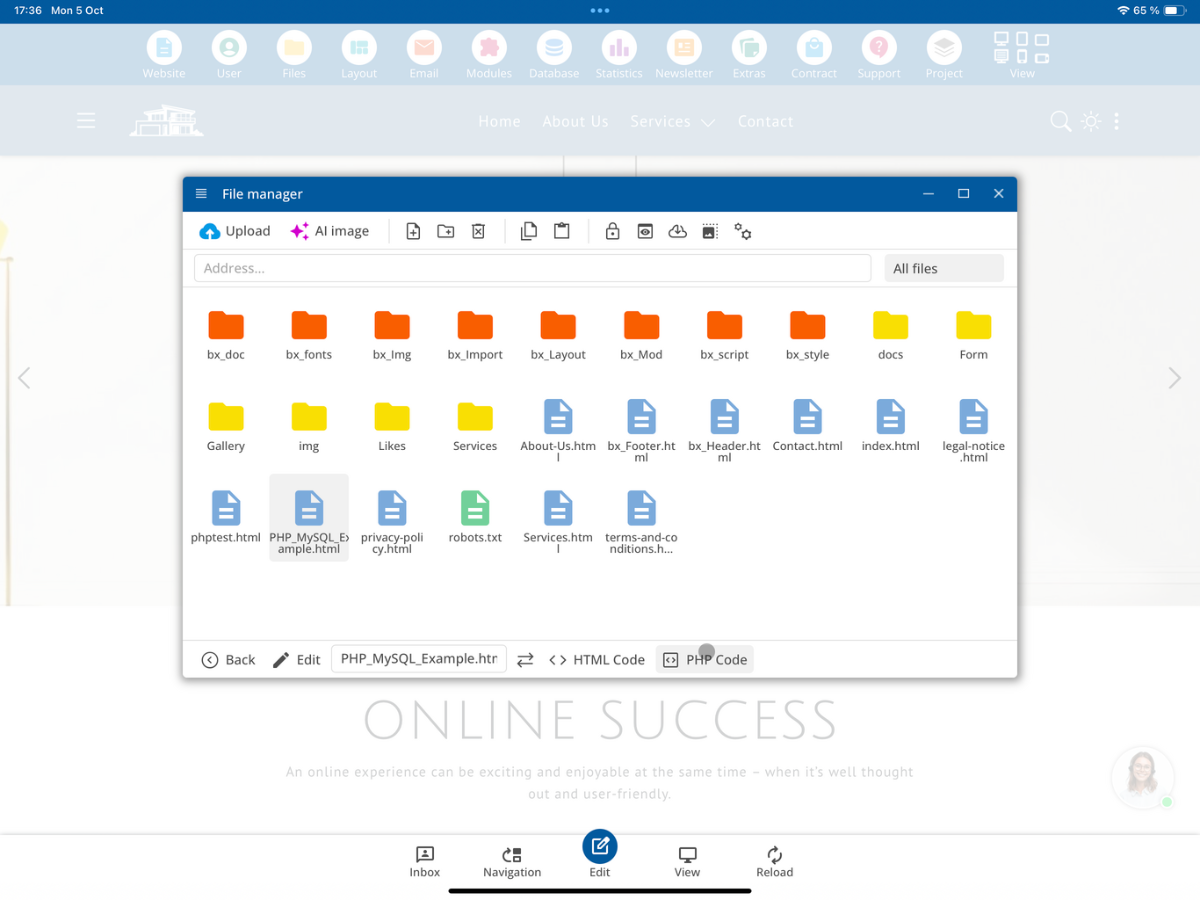
The page can initially be completely empty.
Then open the page in a regular HTML editor and insert any section of the page. This HTML area will later serve as a template for the data loaded from the database.
Create database table
Before you can save data, you need your own database table.
To do this, open:
Database → New Table
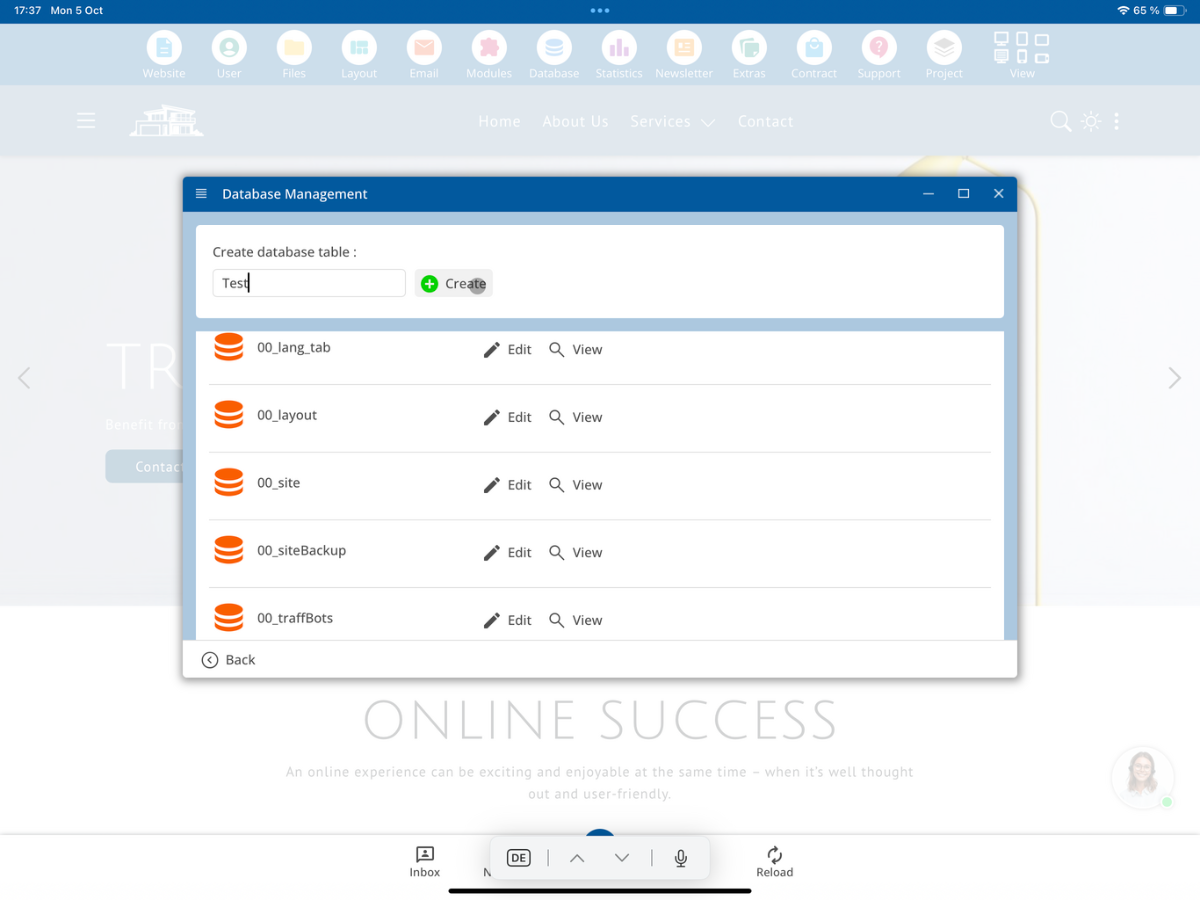
For this example, we will use a table with the columns ID, Date, Title, Description, and Image.
ID contains the unique ID of the record. Date stores the date and time. Title contains the title, Description holds a longer description text, and Image contains the image name.
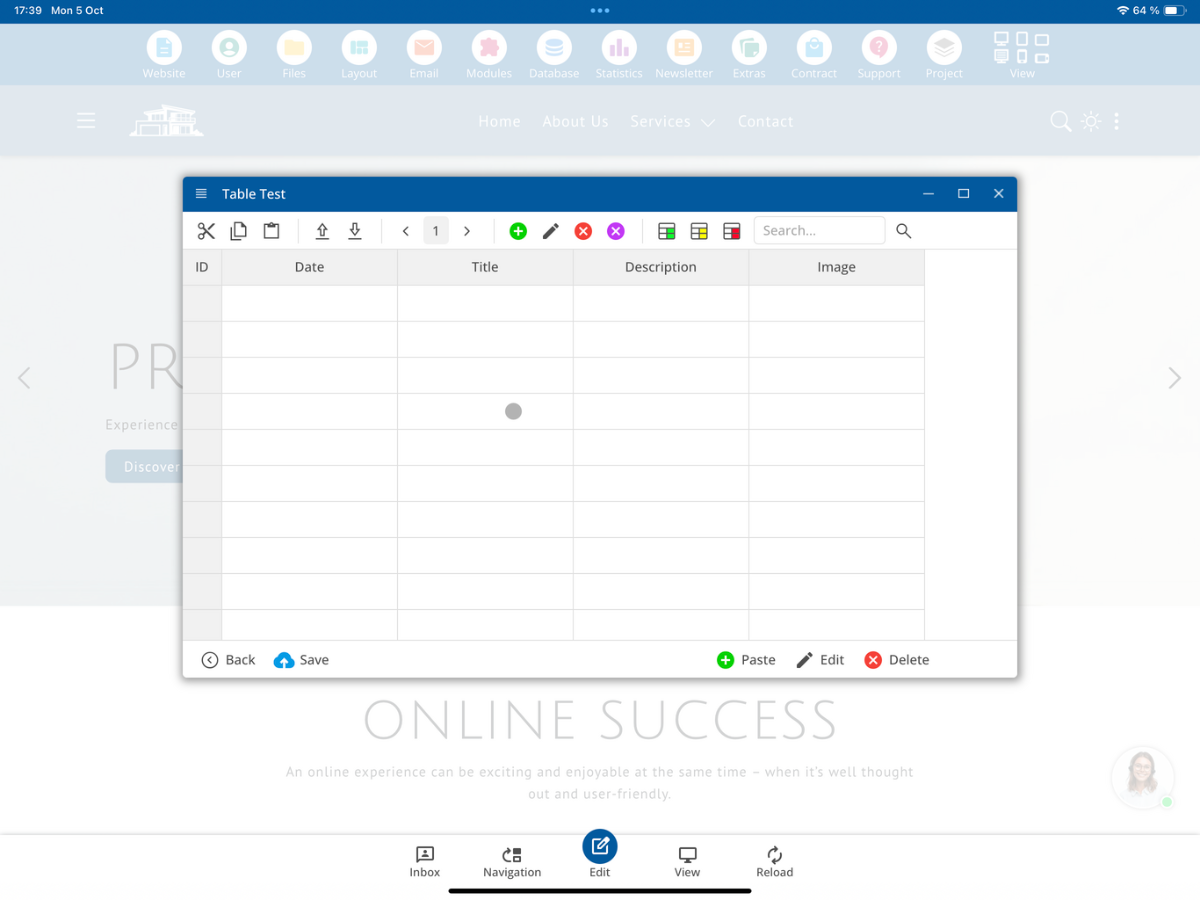
Table, column, and variable names should always be used in English within developer tutorials.
Open PHP code
After creating the table, return to your sample page.
Open there:
PHP Code
From this area, you can directly access the database.
Save data with INSERT or REPLACE
In the first example, you will save a record in the previously created database table.
First, set the required PHP variables.
Example:
$ID = 1;
$Date = date("Y-m-d H:i:s");
$Title = "My Title";
$Description = "My Description";
$Image = "my-image.jpg";
You can then save these values with a MySQL Prepared Statement.
In general, you should use Prepared Statements for database access. This processes the values separately from the actual SQL command.
Example with REPLACE:
$stmt = $mysqli->prepare("REPLACE INTO ExampleTable (ID, `Date`, Title, Description, Image) VALUES (?, ?, ?, ?, ?)");
$stmt->bind_param("issss", $ID, $Date, $Title, $Description, $Image);
$stmt->execute();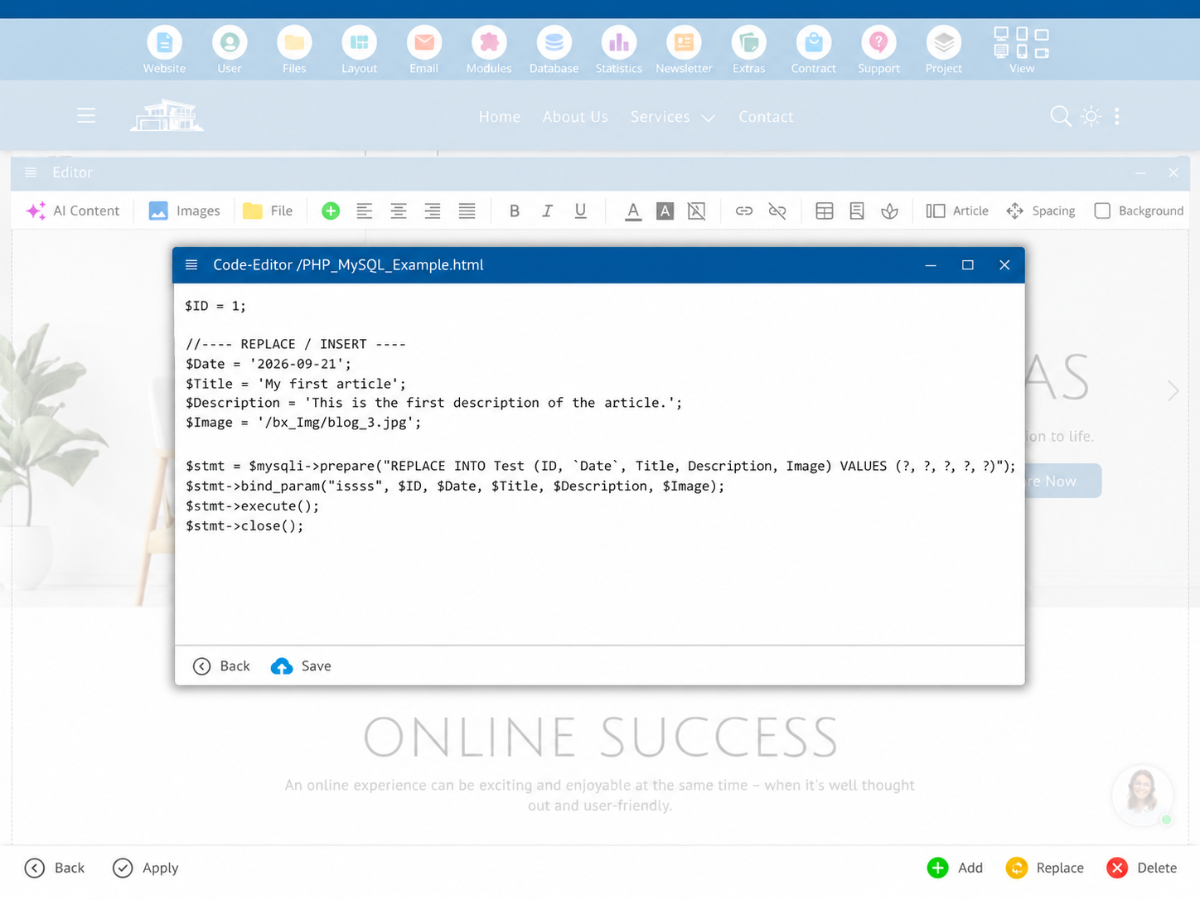
Then call the page once.
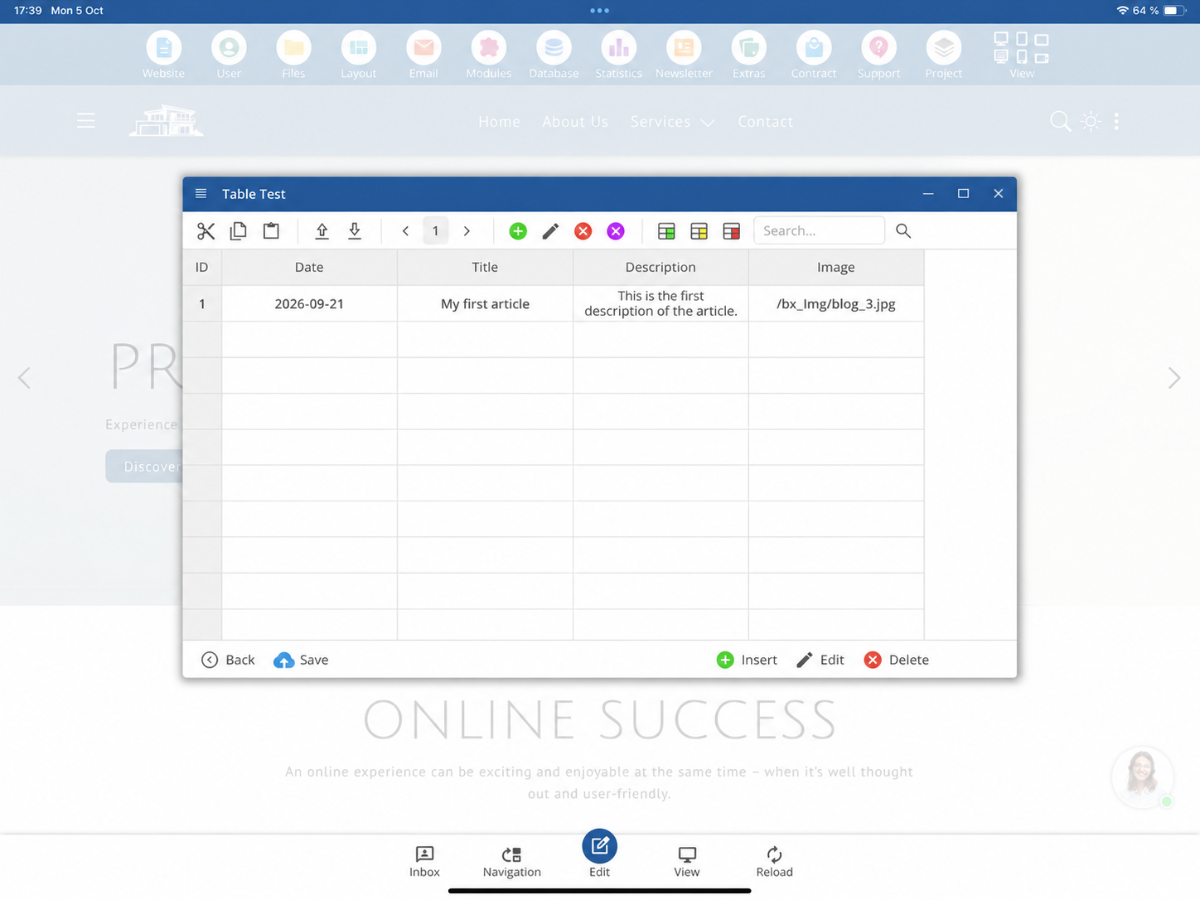
Then open:
Database → View
The newly created record should be visible there.
Difference between INSERT and REPLACE
INSERT adds a new record.
If a record with the same unique ID or Primary Key already exists, a normal INSERT can cause a duplicate key error.
REPLACE can be used if an existing record with the same unique ID should be replaced.
For test examples with a fixed ID, REPLACE is often more practical, as the page can be called multiple times.
Read data with SELECT
In the next step, you read the saved record back from the database.
Example:
$stmt = $mysqli->prepare("SELECT `Date`, Title, Description, Image FROM ExampleTable WHERE ID = ?");
$stmt->bind_param("i", $ID);
$stmt->execute();
$result = $stmt->get_result();

if($row = $result->fetch_assoc()) {
$Date = $row["Date"];
$Title = $row["Title"];
$Description = $row["Description"];
$Image = $row["Image"];
}
The read values are then stored in the variables $Date, $Title, $Description, and $Image.
Connect database and $LayoutHTML
The global CMS variable $LayoutHTML contains the currently generated HTML of the page during the rendering process.
This allows you to replace your own placeholders within the HTML code with data from the MySQL table.
Set placeholders in HTML code
Open the HTML code of your example page again.
You can now replace the content of the previously inserted section with your own placeholders.
For example:
__MyDate__
__MyTitle__
__MyDescription__
__MyImage__
A simplified HTML example:
<section>
   <div class="container">
      <img src="__MyImage__" alt="">
      <small>__MyDate__</small>
      <h2>__MyTitle__</h2>
      <p>__MyDescription__</p>
   </div>
</section>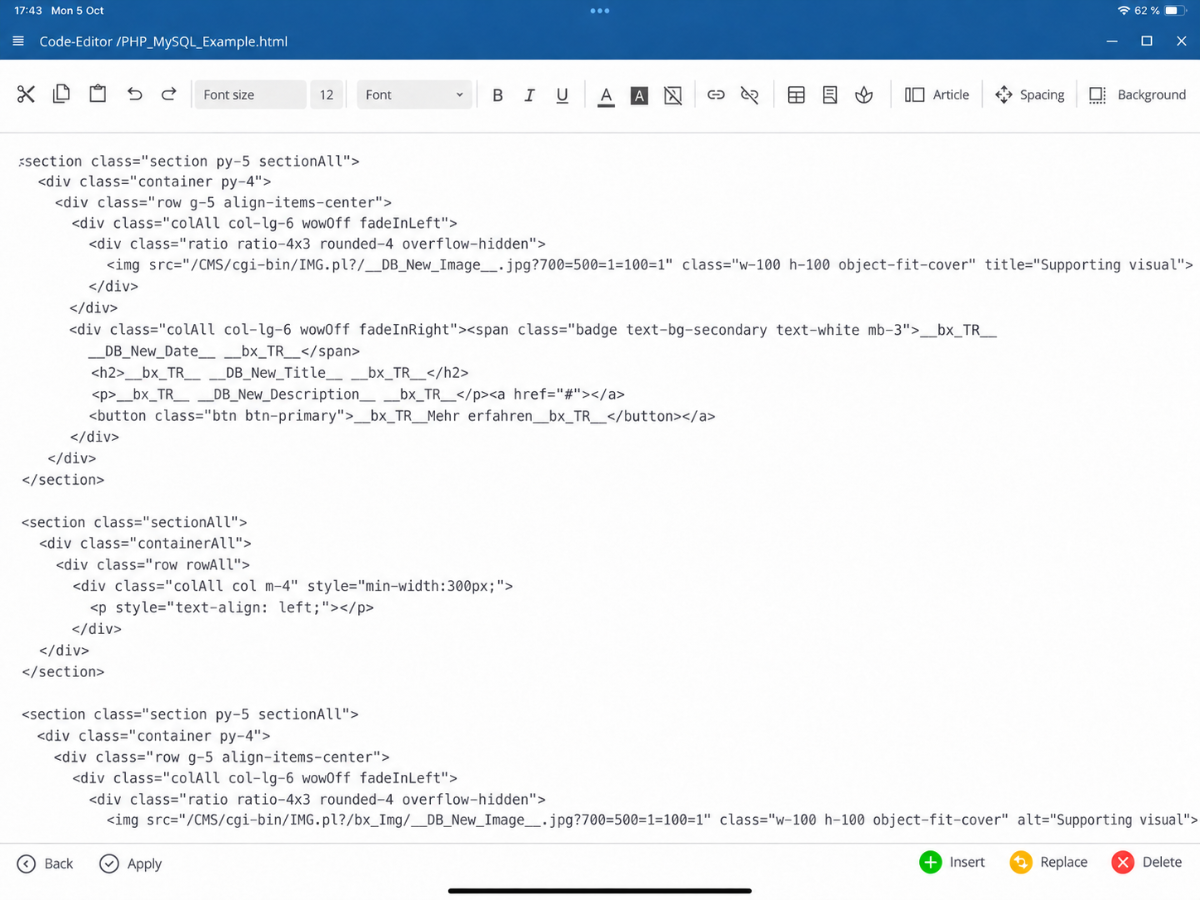
For this first MySQL example, existing translation tags can initially be removed. This makes it easier to see which content is directly replaced by PHP and MySQL.
Insert database values into the layout
After the data has been loaded with SELECT, you replace the placeholders within $LayoutHTML.
Example:
$LayoutHTML = str_replace("__MyDate__",$Date,$LayoutHTML);
$LayoutHTML = str_replace("__MyTitle__",$Title,$LayoutHTML);
$LayoutHTML = str_replace("__MyDescription__",$Description,$LayoutHTML);
$LayoutHTML = str_replace("__MyImage__",$Image,$LayoutHTML);
The process is as follows:
MySQL Database → SELECT → PHP Variables → str_replace() → $LayoutHTML → final webpage
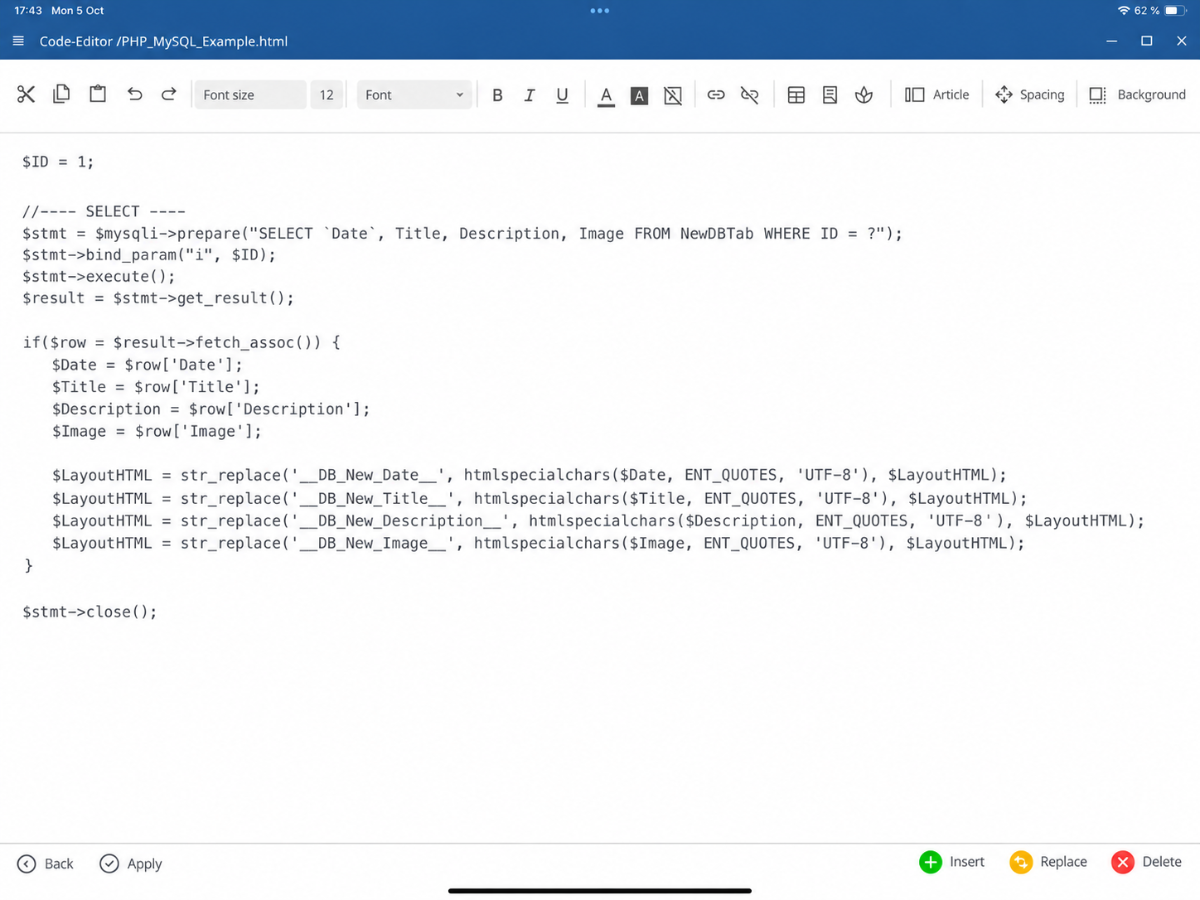
The contents of the database are thus displayed directly within the existing HTML layout.
Test changes directly via the database
Open:
Database → View
Then edit the existing record.
For example, you can change the title from My Title to New My Title.
You can also change the image using the corresponding BX-Image-Button.
After saving and reloading the webpage, the changed data will be displayed directly in the page layout.
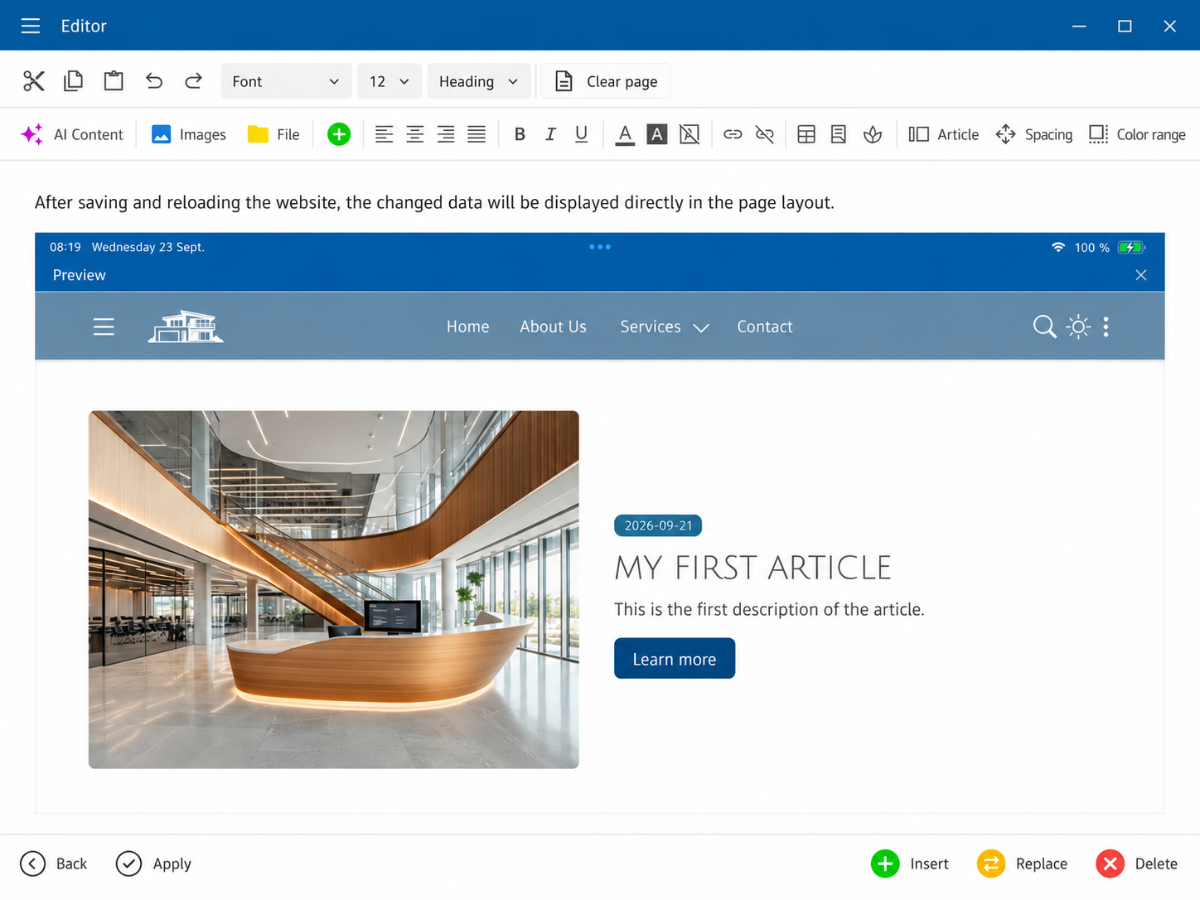
This establishes a direct connection between:
Database → PHP → $LayoutHTML → Webpage
Modify data with UPDATE
With UPDATE, you can directly modify an existing record via PHP.
A condition determines which record should be changed.
After executing the update, you can load the data again using SELECT and then display it on your page via $LayoutHTML.
Summary
With PHP and MySQL, you can store, read, and modify data within the bluetronix CMS.
INSERT or REPLACE store data, SELECT retrieves data, and UPDATE modifies existing records.
Via $LayoutHTML, you can then directly incorporate the loaded data into existing HTML structures.
This allows for a clean connection between database content and the HTML layout of a CMS page.
FAQ
what customers often ask us
What do I need for this PHP and MySQL tutorial?
You need a developer access to the bluetronix CMS. Additionally, you should already know how the CMS site rendering process works and what role the variable $LayoutHTML plays.
Where do I create a new database table?
In the CMS, open the section Database → New Table.
Which columns are used in the example?
The tutorial uses the columns ID, Date, Title, Description, and Image.
Why should I use Prepared Statements?
Prepared statements separate the passed values from the actual SQL command and are therefore intended for database access.
What is the difference between INSERT and REPLACE?
INSERT adds a new record. REPLACE can replace an existing record with the same unique ID or primary key.
How do I read data from the database?
For that, you use a SELECT command. You can then store the loaded values in PHP variables like $Title, $Description, or $Image.
How do MySQL data get into the HTML of the page?
First, you set your own placeholders in the HTML code and then replace them with str_replace() within $LayoutHTML using the loaded database values.
How can I check if the connection between the database and the website is working?
Open Database → View, modify an existing record, and then reload the website. The new values should appear directly in the page layout.
What is UPDATE used for?
With UPDATE, you can directly modify an existing record via PHP.
Can I also use images from the database in the page layout?
Yes. In the example, the image value is stored in the variable $Image and used in $LayoutHTML through a placeholder like __MyImage__.